
Gemini Omni Price: Is It Free or Paid?
Gemini Omni pricing explained: free access, Google AI Plus, Pro and Ultra plans, Flow credits, limits, and what is not officially confirmed yet.
Emma Chen · 13 min read · May 20, 2026

Short answer: Gemini Omni is not best described as simply "free" or "paid" without context. Google's Gemini video generation page says Gemini Omni is available to users 18 and older with a Google AI Plus, Pro or Ultra plan in markets where the Gemini app is available. Google's subscription page also lists Flow credits for paid tiers with access to Gemini Omni Flash. Google says some YouTube surfaces are rolling out at no cost to users, but that is not the same as unlimited free Gemini app or API access.
This guide explains the current pricing picture using only official sources checked today. It separates app access, Flow credits, YouTube rollout and future API pricing so you do not confuse one surface with another.
Official sources checked for this guide:
- Google Gemini video generation page, which says Gemini Omni will replace Veo in the Gemini app and describes availability for Google AI Plus, Pro and Ultra users where Gemini app is available.
- Google Blog: Introducing Gemini Omni, which says Gemini Omni Flash is rolling out to the Gemini app, Google Flow and YouTube Shorts, with developer and enterprise API access coming in the coming weeks.
- Google AI subscriptions page, which lists Free, Google AI Plus, Google AI Pro and Google AI Ultra plan access, Flow credits and Gemini Omni Flash availability by plan.
- Google DeepMind: Gemini Omni, which documents Omni's multimodal video creation, editing, SynthID and C2PA context.
- Google DeepMind: Veo 3.1, which remains live; therefore this article does not claim that Veo is globally discontinued.
Related veo3ai.io guides:
- Gemini Omni hub
- What Happened to Veo? Gemini Omni Replaces Veo in the Gemini App
- Gemini Omni vs Veo 3.1: What Changed?
- Best Gemini Omni Alternatives: Veo Replacement Guide
- Veo 3 pricing
- Google Veo 3 pricing and free access
- Best free AI video generators
- Image-to-video tools
- Text-to-video AI tools
The simple pricing answer
For Gemini app video generation, the official Gemini video generation page ties Gemini Omni to Google AI Plus, Pro or Ultra. That means users should not assume the full Gemini Omni app experience is available on the free Gemini plan. Availability also depends on region, age and feature restrictions.
For Google Flow, Google's subscription page lists Flow credits by plan and mentions access to Gemini Omni Flash in Flow for paid plans. Plus gets fewer credits than Pro, and Ultra gets far more credits. Exact currency amounts differ by country, and the page may localize prices. The important SEO-safe wording is: Gemini Omni access is plan-based, and limits vary by plan and geography.
For YouTube Shorts and YouTube Create, Google's Omni announcement says rollout is happening at no cost to users starting that week. That statement should be kept separate from Gemini app subscription access. A no-cost Shorts rollout does not mean every Gemini Omni feature is free everywhere.
For developers and enterprise customers, Google says API access is coming in the following weeks. The official sources checked here do not provide a complete public API price table.
Plan comparison from official pages
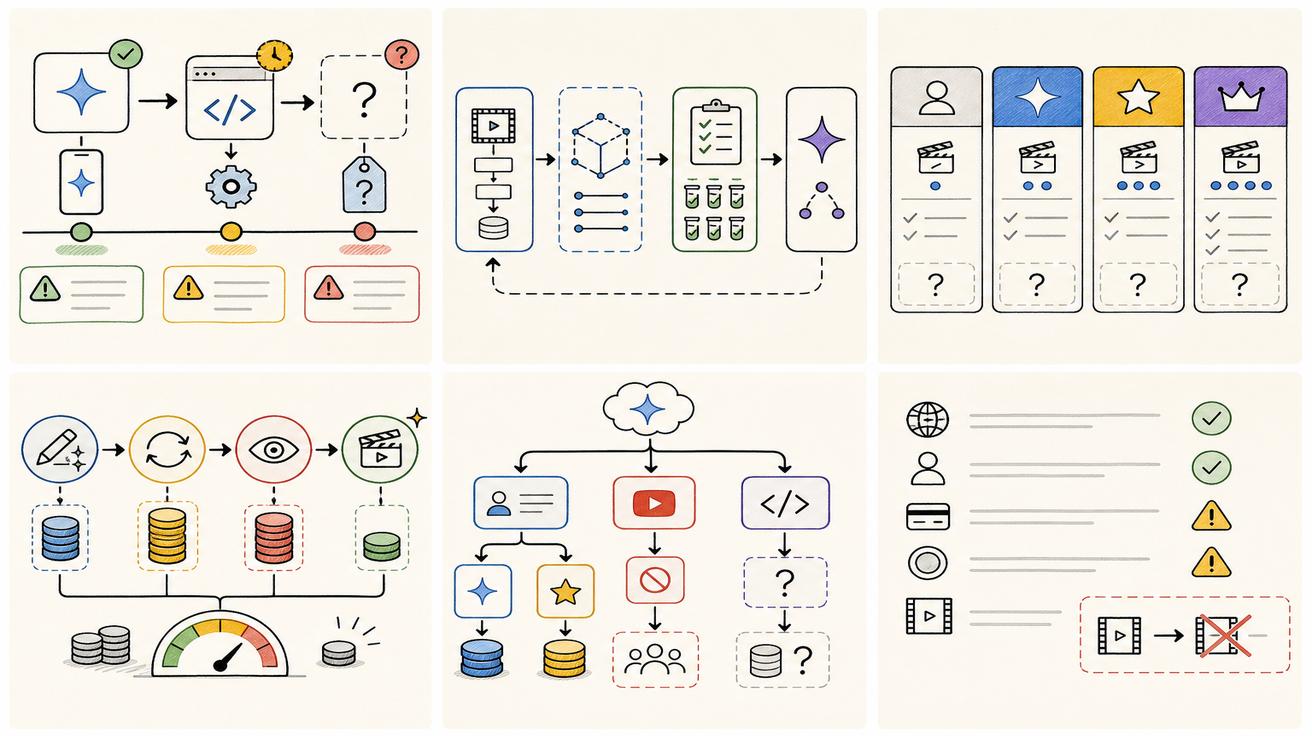
| Surface | Free | Google AI Plus | Google AI Pro | Google AI Ultra |
|---|---|---|---|---|
| Gemini app general AI | Available with Free features | Higher usage than Free | Higher usage than Free | Highest access |
| Gemini Omni in Gemini app | Not listed as full Omni access in the video page | Listed as eligible | Listed as eligible | Listed as eligible |
| Google Flow credits | Limited Flow access listed | 200 Flow credits shown in fetched page | 1,000 Flow credits shown in fetched page | 10,000 or 25,000 Flow credits shown in fetched page |
| API access | Not confirmed | Not confirmed | Not confirmed | Not confirmed |
| Best fit | General Gemini use | Entry paid creative access | Heavier creative workflows | Highest usage and early access features |
Plan details can change by region and date, so always check Google's live subscription page before making a purchase decision.
Why users are confused about price
The confusion comes from the fact that Gemini Omni appears across several Google surfaces. A person may see Omni in a Gemini app page, a Flow page, a YouTube announcement or a Google AI plan comparison. Each surface has different access rules.
A creator asking "is Gemini Omni free" may care about whether they can try it today. A developer asking the same question may care about API pricing. A marketer may care about Flow credits. A student may care about local promotions. Those are different pricing questions.
That is why this page uses four buckets: Gemini app, Google Flow, YouTube surfaces and API/enterprise. Mixing them creates false answers.
Gemini app pricing
The Gemini video generation page is the clearest source for app access. It says Gemini Omni is available to users 18 and older with Google AI Plus, Pro or Ultra in markets where Gemini app is available. It also notes that some features such as video-to-video editing may be restricted in some countries.
That means the safest answer for app users is: check whether you have Plus, Pro or Ultra, whether your region supports the feature, and whether your account is eligible. If you are on Free and do not see Omni video generation, that is consistent with the official plan language.
Google Flow pricing and credits
The subscriptions page lists Flow credits for paid Google AI tiers. In the fetched version, Google AI Plus shows 200 Flow credits, Google AI Pro shows 1,000 Flow credits, and Google AI Ultra shows 10,000 or 25,000 Flow credits depending on tier. It also mentions Gemini Omni Flash access in Flow.
Credits matter because video generation is compute-heavy. A plan may provide access, but usage limits determine how much you can create. Teams should track not only monthly plan price but also credits, output length, retries, export quality and failed generations.
YouTube rollout
Google's Omni announcement says Gemini Omni Flash is rolling out at no cost to users on YouTube Shorts and YouTube Create App starting that week. That is a real official statement, but it is limited to those YouTube surfaces. It should not be generalized into "Gemini Omni is free everywhere."
If your use case is quick social creation inside YouTube, watch YouTube-specific docs and app availability. If your use case is Gemini app editing or API automation, the YouTube statement is not enough.
API pricing is not confirmed yet
The API question remains open in the official sources checked. Google says developer and enterprise API rollout is coming in the following weeks, but this article did not find a complete public Gemini Omni API pricing table in the cited pages.
Developers should avoid promising customers a price until Google publishes official API billing details. If you are budgeting now, estimate a range based on current video generation costs and expected retries, but label that estimate as provisional.
See Gemini Omni API: Availability, Pricing, and Developer Access for a developer-specific breakdown.
Cost factors beyond the plan price
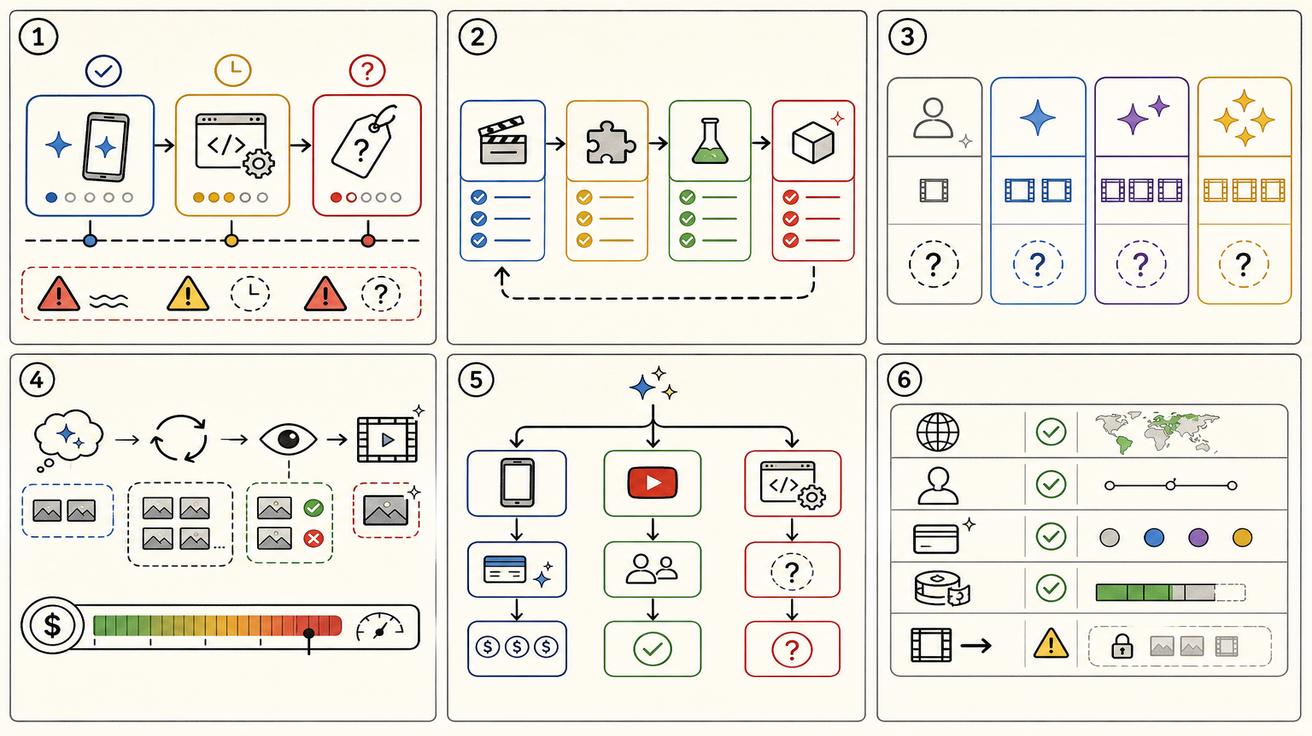
The monthly plan is only one part of cost. Video generation cost also depends on how many attempts it takes to get a usable clip. A tool with a higher monthly price but fewer failed generations can be cheaper in practice. A cheaper plan with low limits may be too restrictive for teams.
Track these factors:
- Credits or usage limits per plan.
- Output duration and resolution.
- Whether audio is included.
- Whether video-to-video editing consumes more credits.
- Retry rate.
- Whether outputs have watermarks or content credentials.
- Team review time.
- Commercial rights and policy restrictions.
- API availability if you need automation.
- Region and age eligibility.
Recommendation by user type
Casual users should start by checking whether Gemini Omni is visible in their Gemini app and whether their plan is eligible. If not, do not assume the feature is broken; it may be tied to paid plans, region or rollout timing.
Creators should compare Plus, Pro and Ultra based on usage volume. If you only need a few clips, Plus or Pro may be enough. If you need heavy Flow usage, Ultra's credit allocation may matter.
Developers should wait for API pricing. Consumer plan pricing is not a substitute for API billing.
SEO and content teams should answer price queries with careful qualifiers. "Gemini Omni price" should cover plan-based access and unknown API pricing rather than pretending there is one universal price.
Bottom line
Gemini Omni is plan-based in the official Gemini app language, with Google AI Plus, Pro and Ultra listed as eligible. Google Flow uses credits that vary by plan. YouTube rollout may include no-cost access for some users in YouTube surfaces. API pricing is not officially confirmed in the reviewed sources. The safest answer is: Gemini Omni is paid for the main Gemini app experience, may appear at no cost in specific YouTube contexts, and developer pricing is still pending official documentation.
Region and currency caveats
Google plan pages localize prices, currency and availability. A page fetched from one region may show KRW, USD or another currency depending on location and account context. That means an SEO article should avoid hardcoding one global price unless the official page provides a universal figure. Instead, say that users should check the live Google AI subscriptions page for their country.
Regional availability also affects price perception. A user may see Omni mentioned in a blog post but not available in the Gemini app yet. Another user may have access to Flow credits but not the same video-to-video editing features. A third user may see a YouTube surface before Gemini app access. These differences can make people think pricing information is contradictory when the real issue is product surface and rollout stage.
Pricing scenarios
For a casual creator, the effective price is the lowest plan that allows enough video generations to test ideas. If Plus provides access in the user's region and the user only needs occasional clips, it may be enough. If the user burns through credits quickly because each usable video requires several retries, a higher plan may be cheaper per usable output.
For a marketing team, the price calculation should include staff time. If a plan provides better editing control and fewer retries, the team may save hours even if the subscription is more expensive. Video generation is rarely a one-shot process; a final ad may require prompt testing, editing, review and export.
For developers, consumer plan prices are mostly a signal, not a budget. API pricing may use different units and may require enterprise terms. Do not model customer pricing using consumer Flow credits unless Google explicitly connects those credits to API usage.
Price comparison checklist
When comparing Gemini Omni plans against alternatives, track plan price, included credits, output length, output resolution, audio support, editing support, region restrictions, commercial-use rules, watermarking, team collaboration and API availability. A tool that seems cheaper can become expensive if it requires many retries or does not support the input type you need.
Also compare opportunity cost. If your team waits for an API that is not yet available, you may lose time. If you switch too early, you may rebuild later. The safest approach is to use Gemini Omni where it is officially available today and maintain alternatives for workflows that need confirmed API access or predictable limits.
How to explain price to users
A concise user-facing answer could be: "Gemini Omni availability depends on product surface and plan. Google says Gemini Omni is available in the Gemini app for Google AI Plus, Pro and Ultra users where supported. Google Flow uses credits that vary by paid plan. YouTube rollout may be no-cost in YouTube surfaces. API pricing has not been fully confirmed in official docs reviewed here."
That answer is longer than "free" or "paid," but it is much more accurate. It prevents misleading users who only care about the Gemini app, while still acknowledging that some YouTube access may be no-cost.
What could change next
Pricing may change as Google expands Omni access. Google could publish API pricing, adjust Flow credits, add trial access, change regional availability or update plan names. Any price article should be timestamped and revisited when official docs change. For a fast-moving launch, stale price claims can become inaccurate within days.
The key is to separate stable facts from provisional facts. Stable today: Google ties Gemini Omni app access to Plus, Pro and Ultra in the official video page. Provisional: API pricing, exact long-term usage limits and how Google may package Omni across enterprise products.
Editorial note for fast-moving Google launches
This page is written as a live launch response. Google may update plan names, access rules, model availability or documentation after publication. The safest way to use this guide is to treat official Google pages as the source of truth and this article as an interpretation layer that explains what the current public sources mean for creators, developers and SEO teams. If Google publishes new API docs, a migration guide, or a revised pricing table, the recommendations should be reviewed before making production decisions.
For users comparing plans today, the practical next step is to open the official subscription page in the same country and Google account they plan to use. Screenshots from another region may not match local currency, feature rollout, taxes, trial offers or account eligibility. If a feature is missing, check again after rollout updates rather than assuming the page is wrong.
<script type="application/ld+json"> { "@context": "https://schema.org", "@type": "Article", "headline": "Gemini Omni Price: Is It Free or Paid?", "description": "Gemini Omni pricing explained: free access, Google AI Plus, Pro and Ultra plans, Flow credits, limits, and what is not officially confirmed yet.", "author": { "@type": "Person", "name": "Emma Chen" }, "publisher": { "@type": "Organization", "name": "Veo3AI", "url": "https://www.veo3ai.io" }, "mainEntityOfPage": { "@type": "WebPage", "@id": "https://www.veo3ai.io/blog/gemini-omni-price-free-paid-plans" }, "datePublished": "2026-05-20", "dateModified": "2026-05-20" } </script>
<script type="application/ld+json"> { "@context": "https://schema.org", "@type": "FAQPage", "mainEntity": [ { "@type": "Question", "name": "How much does Gemini Omni cost?", "acceptedAnswer": { "@type": "Answer", "text": "Official pages connect Gemini Omni access to Google AI Plus, Pro and Ultra plans for the Gemini app and Flow, but exact pricing depends on country, plan and product surface." } }, { "@type": "Question", "name": "Is Gemini Omni free?", "acceptedAnswer": { "@type": "Answer", "text": "The official Gemini video page says Gemini Omni is available to Google AI Plus, Pro or Ultra users. Google also says YouTube Shorts/Create rollout may be at no cost for users, but app access is tied to paid plans in the pages checked." } }, { "@type": "Question", "name": "What plans include Gemini Omni Flash?", "acceptedAnswer": { "@type": "Answer", "text": "Google subscription pages mention Gemini Omni Flash access through Flow credits for Google AI Plus, Pro and Ultra, with different usage levels." } }, { "@type": "Question", "name": "Does Free plan include Gemini Omni?", "acceptedAnswer": { "@type": "Answer", "text": "The subscriptions page lists Free access to Gemini app and Google Flow with limited capabilities, but the Gemini video generation page ties Gemini Omni to Plus, Pro or Ultra." } }, { "@type": "Question", "name": "Is API pricing available?", "acceptedAnswer": { "@type": "Answer", "text": "A complete public Gemini Omni API pricing table was not confirmed in the official sources checked. Developer access is described as coming in the following weeks." } } ] } </script>
Related Articles
Continue with more blog posts in the same locale.

What is Google Veo 4?
Complete overview of Google Veo 4 AI video generator features, capabilities, and improvements over Veo 3.
Read article
How to Use Google Veo 4
Step-by-step guide to using Google Veo 4 AI video generator. Learn prompts, settings, and best practices for creating stunning AI videos.
Read article
Gemini Omni vs Veo Prompting: Why Omni Prompts Can Be Less Prescriptive
Learn why Gemini Omni prompting can be less prescriptive than Veo prompting, with practical prompt examples, workflow tips, and safe wording about the Veo transition.
Read article