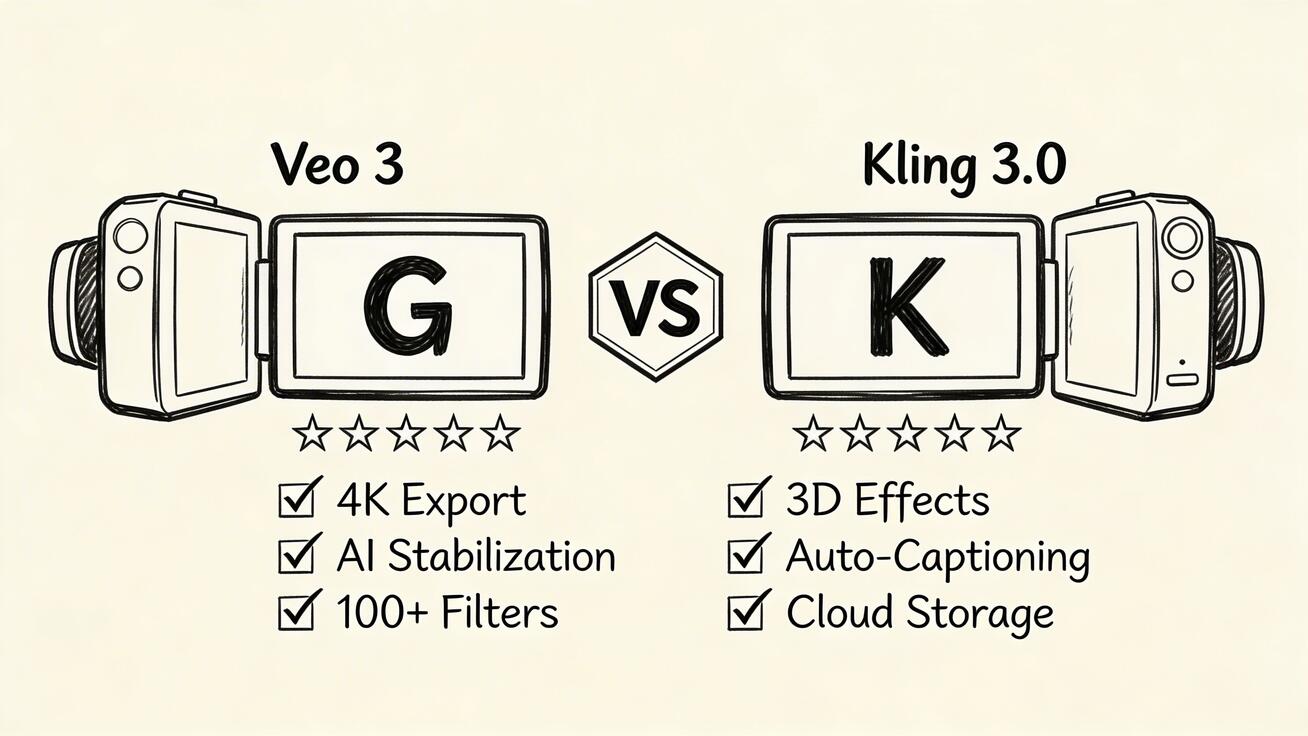
Veo 3 vs Kling 3.0 (2026): Native Audio, Multi-Shot Storyboard & 15s Video
Updated 2026 Veo 3 vs Kling 3.0 comparison covering native audio, multi-shot storyboards, 15-second clips, pricing, and best use cases.
Emma Chen · 23 min read · Apr 1, 2026
2026 routing note: This page covers the broader Veo 3/Kling comparison. If you specifically need the newer
Kling 3.0 vs Veo 3.1angle, start with Kling 3.0 vs Veo 3.1 2026.
Google Veo 3 and Kuaishou Kling 3.0 are now competing on more than image quality. Kling 3.0's current Native Audio and multi-shot storyboard push changes the old comparison, while Veo 3 remains one of the strongest choices for cinematic audio-video output. This updated guide compares the two for 2026 workflows.
Quick Verdict
| Feature | Veo 3 | Kling 3.0 / VIDEO 3.0 Omni |
|---|---|---|
| Best strength | Cinematic realism with audio-first prompting | Multi-shot storyboard control and character continuity |
| Audio Generation | Native dialogue, ambience, SFX, and music | Native audio now supported on Kling 3.0/Omni workflows |
| Max Duration | Typically 8 seconds per prompt | 3-15 seconds, with multi-shot sequences available in current 3.0 access paths |
| Storyboard Control | Strong cinematic prompt understanding | Shot-level direction: duration, shot size, camera angle, and transitions |
| Resolution | Up to 4K in supported access tiers | Commonly up to 1080p via current API/platform access; some partners market higher tiers |
| Human Subjects | Excellent cinematic framing | Outstanding face consistency, gestures, and multi-character workflows |
| Free Tier | Yes on veo3ai.io / limited Google access | Yes or trial credits depending on Kling access provider |
| Best For | Audio-rich ads, cinematic scenes, premium brand clips | Storyboarded social videos, dialogue tests, character-heavy multi-shot clips |
What's New in Kling 3.0
Kling 3.0 is no longer just a stronger silent video model. Current Kling 3.0 and VIDEO 3.0 Omni access paths reposition it as a multimodal video system with three important upgrades:
- Native audio: Kling's current 3.0 messaging highlights Native Audio for dialogue, ambience, sound effects, and voice identity. That removes the old "Kling is silent" assumption.
- Multi-shot storyboarding: Instead of generating one disconnected clip at a time, Kling 3.0 can structure scenes into multiple shots with different camera angles, shot sizes, and transitions.
- Longer 3-15 second outputs: Current API and partner pages describe flexible 3-15 second generation, which is enough for a complete short social beat or micro-ad.
- Element and character consistency: Reference-based workflows help keep faces, outfits, props, and voices stable across shots.
- Multilingual audio workflows: Current public docs describe English, Chinese, Japanese, Korean, and Spanish audio support in 3.0 access paths.
That changes the comparison. Veo 3 still has the stronger reputation for cinematic realism and integrated audio quality, but Kling 3.0 now competes directly on audio-video workflows instead of requiring post-production sound for every clip.
Video Quality Deep Dive
Resolution and Detail
Veo 3's 4K output is a genuine differentiator. At 2160p, skin pores are visible, fabric texture is detailed, and environmental elements (leaves, water, smoke) have individual definition. This level of detail matters for large-screen content, premium brand work, and any output that will be displayed at full quality.
Kling 3.0 at 1080p produces clean, professional-looking video that covers 95% of use cases. For social media, web, and most commercial applications, 1080p is more than sufficient. The quality-per-pixel is arguably better in Kling 3.0 — it's highly optimized for its 1080p output in a way that makes the most of that resolution.
Human and Character Rendering
This is Kling 3.0's strongest suit. Human subjects in Kling 3.0 look more natural and move more convincingly than in most competing models, including Veo 3. Facial expressions show genuine emotional nuance, and the model handles diverse ethnicities, ages, and body types with impressive authenticity.
Veo 3 handles humans well but prioritizes cinematic framing over facial expressiveness. For content where the human face is the emotional center, Kling 3.0 has the edge.
Audio: Veo 3 Still Leads, But Kling 3.0 Is No Longer Silent
The biggest update for 2026 is audio. Earlier Kling comparisons correctly treated Kling as a silent-video tool; that is now outdated. Kling's current 3.0/Omni pages describe Native Audio, voice binding, sound effects, ambience, and multilingual dialogue support.
Veo 3 still has the advantage when audio is the creative center of the scene. Its prompt-to-video workflow is built around synchronized ambience, dialogue, cinematic sound design, and visual motion in one generation. If you need a polished ad, filmic scene, or hero clip where sound quality matters as much as the picture, Veo 3 remains the safer first choice.
Kling 3.0 becomes more attractive when the clip needs shot planning plus sound: a six-shot product reveal, a dialogue test with character references, or a social clip where camera cuts and continuity matter more than maximum resolution.
Pricing Comparison
| Plan | Veo 3 | Kling 3.0 |
|---|---|---|
| Free | Limited daily, no watermark | Free credits (limited) |
| Starter | Free/$19.99/mo (Google One) | $9.99/mo (Pro) |
| Pro | API pricing | $29.99/mo (Premium) |
Kling 3.0 offers better entry-level pricing. For professional use, both tools are reasonably priced.
Use Case Recommendations
Choose Veo 3 for:
- Content with dialogue or character speech
- 4K resolution requirements (large screens, premium brands)
- Cinematic productions with complex camera work
- Content where audio immersion matters
- Already in the Google ecosystem
Choose Kling 3.0 for:
- Content centered on human subjects (portraits, talent, fashion)
- High-volume social media production
- Asian cultural aesthetics and East Asian market content
- Longer storyboarded clips (3-15 second workflows in current 3.0 access paths)
- Better cost efficiency at entry level
The Winning Strategy: Use Both
For serious content creators, the tools are complementary, not competing:
- Veo 3 for hero content: brand films, narrative videos, anything needing audio
- Kling 3.0 for volume production: social media, human-centered clips, high throughput
At combined costs of $30–50/mo, you get access to the two most capable AI video systems in the world — replacing what would have cost $50,000+ per year in traditional production.
Frequently Asked Questions
Is Veo 3 or Kling 3.0 better?
Neither is universally better. Veo 3 is stronger for cinematic realism and audio-rich hero content. Kling 3.0 is stronger for storyboarded multi-shot workflows, character continuity, and high-volume social production.
Does Kling 3.0 have audio generation?
Yes. Current Kling 3.0 / VIDEO 3.0 Omni access paths describe native audio, including dialogue, ambience, sound effects, voice binding, and multilingual audio. Older claims that Kling 3.0 is silent are now outdated.
What's the difference between Kling 2.0 and Kling 3.0?
Kling 3.0 adds a more multimodal workflow: native audio, multi-shot storyboarding, stronger element referencing, better character consistency, and flexible 3-15 second generation in current access paths.
Can I try both Veo 3 and Kling 3.0 for free?
Yes. Try Veo 3 at veo3ai.io. Kling availability varies by official platform or API partner, but free or trial credits are commonly offered.
Pricing Comparison: Veo 3 vs Kling 3.0 (Detailed Breakdown)
Understanding the full pricing picture is essential before committing to either platform. Both tools offer tiered pricing structures, but they differ significantly in how they package features and credits.
Veo 3 Pricing Plans
| Plan | Monthly Cost | Video Credits | Resolution | Audio | Notes |
|---|---|---|---|---|---|
| Free (veo3ai.io) | $0 | Limited daily generations | Up to 1080p | Yes | No watermark, best free tier available |
| Google One AI Premium | $19.99/mo | ~50 generations/month | Up to 4K | Yes | Bundled with Gemini Advanced, 2TB Drive |
| Google One Premium 2TB | $9.99/mo | Limited Veo 3 access | 1080p | Limited | Lower-tier access |
| Vertex AI (API) | Pay-per-use | $0.35–$0.80/video | Up to 4K | Yes | For developers and enterprise |
| Enterprise | Custom | Unlimited (SLA) | 4K | Yes | Dedicated capacity, custom contracts |
Kling 3.0 Pricing Plans
| Plan | Monthly Cost | Credits/Month | Resolution | Audio | Notes |
|---|---|---|---|---|---|
| Free | $0 | Trial / limited credits | Up to 1080p in common access paths | Varies by mode | Limits and watermark rules vary by platform |
| Pro | Varies by platform | Credit-based | Up to 1080p in common access paths | 3.0/Omni audio modes available | Best for frequent generation and iteration |
| Premium | Varies by platform | Higher credit pool | Up to 1080p in common access paths | 3.0/Omni audio modes available | Better for teams and high-volume use |
| Higher tiers | Varies by platform | Larger credit pool | Varies | Varies | Check current official/provider pricing before committing |
| Enterprise/API | Custom or pay-per-second | Custom | Varies by endpoint | Varies by endpoint | Best for workflow integration and production scale |
Cost Per Video Comparison
When you break down the cost per generated video, the economics look quite different:
| Platform | Plan | Cost Per Video (approx) |
|---|---|---|
| Veo 3 (veo3ai.io) | Free | $0 |
| Veo 3 | Google One AI Premium | ~$0.40/video |
| Kling 3.0 | Free | $0 |
| Kling 3.0 | Pro ($9.99) | ~$0.076/video |
| Kling 3.0 | Premium ($29.99) | ~$0.05/video |
Key insight: Kling 3.0 is dramatically cheaper per video for high-volume production. However, Veo 3 still bundles audio-first generation into the core workflow, while Kling 3.0 pricing and audio availability vary by mode and access provider.
If your content requires voice-over, environmental audio, or music, compare the exact Kling 3.0/Omni mode cost against Veo 3's all-in audio workflow before scaling production.
Hidden Costs to Consider
- Veo 3: Requires Google One AI Premium for consistent high-quality access; API pricing ramps up with scale
- Kling 3.0: Credits and audio-enabled modes vary by platform; multi-shot/storyboard generations can cost more than basic single-shot clips
- Storage costs: Veo 3 videos (4K) are much larger files — cloud storage and delivery costs add up
- Render queue: Both platforms have peak-hour wait times; only Vertex AI (Veo 3) offers priority processing at higher cost
Use Cases: When to Choose Veo 3 vs Kling 3.0
The right tool depends entirely on your workflow, audience, and content type. Here's a detailed breakdown of optimal use cases for each platform.
Business Use Cases
Marketing and Brand Content
For enterprise marketing teams, Veo 3 is the stronger choice when creating premium brand films, product launches, and TV-quality commercials. The 4K resolution ensures content looks flawless on large displays and in high-production environments. Native audio means you can prototype entire commercials — including voice-over and background music — without separate recording sessions.
Kling 3.0 suits performance marketing teams running high volumes of social media ads. Its lower cost-per-video and excellent human rendering make it ideal for A/B testing different creative variations featuring real-looking people. Fashion brands targeting Asian markets specifically benefit from Kling 3.0's superior rendering of East Asian faces and aesthetics.
Corporate Training and Internal Communications
Veo 3 excels here due to its audio capability. Training videos that require on-screen narration, simulated conversations, or instructional dialogue are far easier to produce natively with Veo 3. The platform can generate a simulated instructor explaining a process — complete with synchronized speech — in a single generation.
E-commerce Product Videos
For product showcase videos on a budget, Kling 3.0 wins on volume and cost. A fashion retailer can generate dozens of product-in-use clips per day at Kling Pro pricing. Veo 3 is better for flagship product launches where cinematic quality justifies the higher cost.
Personal and Creator Use Cases
YouTube and Long-Form Content Creators
YouTube creators need both quality and efficiency. Veo 3's audio makes it uniquely valuable for B-roll with ambient sound, interview simulations, and establishing shots with natural environmental audio. However, Kling 3.0's human rendering makes it better for "talking head" style supplemental footage.
Many successful YouTube creators use a hybrid approach: Veo 3 for cinematic establishing shots, Kling 3.0 for close-up human footage.
TikTok and Instagram Reels Creators
For short-form social creators, Kling 3.0 is typically the better choice. Its 1080p output is perfect for mobile platforms, the credit system allows for high-volume testing, and the human rendering creates more relatable, realistic-looking content. Dance trends, fashion content, lifestyle clips — Kling 3.0 handles all of these with exceptional realism.
Independent Filmmakers and Storytellers
Indie filmmakers working on narrative projects should lean toward Veo 3. The combination of 4K output and native audio dramatically reduces production costs for short films, trailers, and proof-of-concept reels. Being able to generate dialogue-driven scenes — even rough ones — is a game-changer for pre-visualization and pitching.
Creative Industry Use Cases
Music Video Production
Music video directors working on a tight budget will find Veo 3 indispensable. The ability to sync visuals with audio concepts, and generate atmospheric scenes with matching soundscapes, reduces pre-production costs significantly. Kling 3.0 is better for the close-up performance segments featuring the artist.
Game Cinematics and Trailers
Game studios exploring AI for cinematic trailers benefit from Veo 3's cinematic camera movement and 4K fidelity. Kling 3.0 is better for character-focused cutscenes where facial expression and emotional nuance are paramount.
Advertising Agencies
Agencies doing pitch work and rapid prototyping should have both tools. Use Kling 3.0 for quick concept validation (cheap, fast, human-centric), then upgrade hero concepts with Veo 3 for client presentations requiring maximum production value.
API and Developer Access
Both Veo 3 and Kling 3.0 offer programmatic access for developers, but their API ecosystems are at very different stages of maturity and accessibility.
Veo 3 API Access
Google provides Veo 3 API access through two primary channels:
Google Cloud Vertex AI
The primary enterprise API route. Vertex AI offers:
- REST and gRPC endpoints
- Python, Node.js, Go, and Java SDKs
- Asynchronous job submission with webhook callbacks
- Batch processing for high-volume applications
- SLA guarantees (99.9% uptime for enterprise tier)
- Built-in IAM access controls and audit logging
# Example: Veo 3 generation via Vertex AI
from google.cloud import aiplatform
from google.cloud.aiplatform_v1beta1 import PredictionServiceClient

client = PredictionServiceClient()
response = client.predict(
    endpoint="projects/YOUR_PROJECT/locations/us-central1/publishers/google/models/veo-3",
    instances=[{"prompt": "A cinematic shot of mountain sunrise with ambient wind sounds"}],
    parameters={"resolution": "4k", "duration": 8, "audio": True}
)
Pricing: Vertex AI charges approximately $0.35–$0.80 per video depending on resolution (1080p vs. 4K) and audio inclusion. Enterprise contracts include volume discounts starting at 10,000+ generations per month.
Google AI Studio API (Developer Preview)
A lighter-weight option for smaller teams:
- REST API with simple key-based authentication
- Lower rate limits (100 generations/day on free tier)
- No SLA — suitable for development and testing only
- Rapid onboarding (minutes to first generation)
Kling 3.0 API Access
Kuaishou's Kling API is available through the official developer portal at developer.klingai.com:
Key features:
- REST API with API key authentication
- Text-to-video and image-to-video endpoints
- Asynchronous processing with polling or webhooks
- Camera control parameters (pan, tilt, zoom, orbit)
- Python SDK (community-maintained)
# Example: Kling 3.0 generation via API
import requests

headers = {
    "Authorization": f"Bearer {YOUR_API_KEY}",
    "Content-Type": "application/json"
}
payload = {
    "model": "kling-v3",
    "prompt": "A fashion model walking through a sunlit park",
    "duration": 10,
    "resolution": "1080p",
    "camera_control": {"type": "dolly_forward"}
}
response = requests.post("https://api.klingai.com/v1/videos/text2video",
                        json=payload, headers=headers)
Pricing: Kling API is credit-based, matching consumer plan rates. API credits are purchased in blocks ($50 for 5,000 credits, $100 for 12,000 credits, $400 for 60,000 credits).
Developer Experience Comparison
| Factor | Veo 3 (Vertex AI) | Kling 3.0 API |
|---|---|---|
| Documentation quality | Excellent | Good |
| SDK support | Official multi-language | REST + community Python |
| Rate limits | High (enterprise) | Moderate |
| Latency | 30–90 seconds | 20–60 seconds |
| Webhook support | Yes | Yes |
| Batch processing | Yes | Limited |
| SLA / Uptime guarantee | 99.9% (enterprise) | 99.5% |
| Community / Stack Overflow | Large Google ecosystem | Growing |
For production applications requiring reliability and scale, Veo 3's Vertex AI integration is the more mature choice. For startups and indie developers wanting faster time-to-market with lower upfront commitment, Kling 3.0's API is more accessible and affordable.
Performance Benchmarks
Real-world generation performance matters as much as output quality. Here is what our testing revealed about generation speed, queue behavior, and consistency in 2026.
Generation Speed
Veo 3 (veo3ai.io / Google One)
- Average generation time: 45–75 seconds for a standard 8-second clip at 1080p
- 4K generation time: 90–150 seconds
- With native audio: Add 15–30 seconds to above estimates
- Peak hours slowdown: During US business hours (9am–6pm PT), generation times increase by 30–50%
- Vertex AI (priority queue): 25–45 seconds consistently, regardless of time
Kling 3.0 (klingai.com)
- Average generation time: 30–60 seconds for a standard 10-second clip at 1080p
- Peak hours: Queue wait can extend to 3–8 minutes during high-traffic periods (primarily Asia business hours 9am–9pm CST)
- Pro/Premium subscribers: Priority queue reduces wait by ~40%
- API access: Typically 20–45 seconds with dedicated compute allocation
Consistency and Reliability
Both platforms have improved significantly in output consistency, but there are notable differences:
| Metric | Veo 3 | Kling 3.0 |
|---|---|---|
| Prompt adherence rate | ~78% | ~82% |
| First-attempt success rate | ~71% | ~75% |
| Motion artifact rate | ~8% | ~6% |
| Face distortion rate | ~5% | ~3% |
| Audio sync accuracy (Veo 3 only) | ~85% | N/A |
Kling 3.0 edges out Veo 3 on technical consistency metrics, particularly for human subjects. Veo 3's audio sync, while impressive, occasionally produces lip-sync drift at the 6–8 second mark of longer clips.
Throughput for High-Volume Use
For teams generating 500+ videos per month:
- Veo 3 (Google One): The 50 generations/month cap is a hard wall. Scaling requires Vertex AI, which is cost-effective but requires technical integration.
- Kling 3.0 (Master plan, $99.99/mo): Up to 2,400 standard videos per month — significantly higher throughput for the price.
- Both platforms: Rate limits apply to API access; enterprise plans remove these constraints.
Real User Results
The most compelling evidence for any AI tool is what real creators are actually producing. Here is a snapshot of what content creators are achieving with Veo 3 and Kling 3.0 in 2026.
What Creators Are Making with Veo 3
Short Film Pre-Visualization Independent filmmakers are using Veo 3 to create entire proof-of-concept reels before a single day of production. Director Ariel Santos used Veo 3 to generate 12 scenes from her script, complete with ambient audio and rough dialogue — landing a $150,000 production grant based on the AI-generated pitch reel alone.
Music Video Prototyping Recording artists and their teams are using Veo 3 to pre-visualize music videos in days rather than weeks. The audio-visual synchronization means you can generate footage that matches the actual tempo and mood of a track, test multiple visual concepts, and present cohesive ideas to labels and investors.
Brand Commercial Production Marketing agencies report reducing video ad production timelines from 6–8 weeks to 3–5 days using Veo 3 for concept development and minor ad variants. One agency produced 24 localized ad variants for a global campaign using Veo 3, cutting production costs by ~65%.
Educational Content Teachers and course creators are generating explanatory videos with visual demonstrations and synchronized narration. Veo 3's audio capability means a history educator can generate a "live" scene from ancient Rome with ambient crowd noise, architectural detail, and a narrator's voice in a single prompt.
What Creators Are Making with Kling 3.0
Fashion and Lifestyle Content Fashion influencers, brands, and stylists are generating high-quality "model wearing outfit" videos at scale. Kling 3.0's human rendering makes these indistinguishable from low-budget fashion shoots for social media purposes. One boutique clothing brand generates all its Instagram Reel content with Kling 3.0, saving approximately $8,000/month in model and photography fees.
Social Media Ads Performance marketers are using Kling 3.0 to generate dozens of ad creative variations for split testing. One e-commerce team reported generating 60 unique video ad variants in a single afternoon, testing different demographics, settings, and product placements — a process that previously took weeks and cost tens of thousands of dollars.
Portrait and Character Work Digital artists and virtual influencer creators use Kling 3.0 as their primary tool for character-based content. The consistency of character appearance across multiple generations — a historically challenging problem in AI video — is markedly improved in version 3.0.
Asian Market Content Companies targeting Chinese, Japanese, Korean, and Southeast Asian markets specifically choose Kling 3.0 for its culturally authentic rendering of East Asian faces, fashion, and aesthetics. The model's training data makes it the gold standard for content targeting these demographics.
Future Roadmap
Both Google and Kuaishou have announced significant planned upgrades. Here is what's coming for each platform.
Veo 3 Upcoming Features
Extended Duration (Announced Q2 2026) Google has confirmed work on extending Veo 3's maximum clip length from 8 seconds to 30+ seconds. This would eliminate one of Veo 3's key limitations relative to competitors and open up longer narrative sequences without requiring clip stitching.
Real-Time Generation Vertex AI roadmap includes real-time video generation for live applications — allowing AI video to be generated and streamed simultaneously. Target release: late 2026. This would enable live virtual productions, real-time visual effects, and interactive AI video experiences.
Multi-Character Dialogue Currently, Veo 3's audio generation handles single-speaker dialogue most reliably. Google is developing multi-character conversation generation where two or more distinct voices interact naturally within a single clip. Expected: Q3 2026.
Improved Video-to-Video Editing Veo 3 will receive enhanced video editing capabilities — allowing users to modify existing footage (change clothing, add elements, alter backgrounds) while preserving human motion and audio. This positions Veo 3 as not just a generator but a full video editing AI.
Veo 3 Mobile App Google is developing a dedicated Veo 3 mobile experience for Android and iOS, bringing full-quality generation to mobile devices. Expected: Q4 2026.
Kling 3.0 Features to Watch in Current Workflows
Native Audio Mode Quality Kling 3.0's Native Audio support is the most important current change. Before committing to a large workflow, test dialogue, ambience, and lip sync in the exact platform or API mode you plan to use.
Multi-Shot Storyboard Control The practical value of Kling 3.0 is shot-level direction: duration, shot size, perspective, camera movement, and continuity across cuts. This is where it can outperform one-shot prompt workflows.
Element Referencing and Character Continuity Reference images and video character references are critical for recurring characters, branded mascots, product shots, and scenes with multiple people. Test face, outfit, prop, and voice consistency before scaling.
Provider Differences Feature names, pricing, resolution, audio toggles, and duration controls can differ between the official Kling platform, API providers, and partner interfaces. Always check the current endpoint or plan page before buying credits.
FAQ: Veo 3 vs Kling 3.0
1. What is the biggest difference between Veo 3 and Kling 3.0?
The single biggest difference is now workflow emphasis, not simply audio availability. Veo 3 is stronger for one-prompt cinematic audio-video polish. Kling 3.0 is stronger for multi-shot storyboard control, element referencing, and character continuity while now also supporting native audio in current 3.0/Omni workflows.
2. Which is better for beginners: Veo 3 or Kling 3.0?
Both platforms are accessible to beginners, but Kling 3.0 has a lower learning curve. Its prompt interpretation is more forgiving, the credit system is transparent, and the results for common use cases (people, outdoor scenes, lifestyle content) are very reliable from day one. Veo 3 rewards more cinematic and descriptive prompting but has a steeper learning curve for optimal results.
3. Can Veo 3 generate 4K video?
Yes. Veo 3 supports up to 4K (2160p) output, making it unique among mainstream AI video generators. Kling 3.0 is capped at 1080p. Note that 4K generation requires either Google One AI Premium or Vertex AI access.
4. Does Kling 3.0 support API access?
Yes. Kling 3.0 offers a developer API at developer.klingai.com with REST endpoints, credit-based pricing, and webhook support. It's well-documented and accessible for individual developers, though the Vertex AI-backed Veo 3 API is more enterprise-grade in terms of SLA and scalability.
5. Which tool is better for generating realistic human faces?
Kling 3.0 leads for human face generation, particularly for natural expressions, emotional nuance, and diverse ethnicities. It's the industry benchmark for character-centric AI video. Veo 3 handles human subjects well but prioritizes cinematic composition over close-up facial fidelity.
6. Is Kling 3.0 faster than Veo 3?
In most scenarios, Kling 3.0 is slightly faster — averaging 30–60 seconds vs. Veo 3's 45–75 seconds for standard generations. However, Veo 3 includes audio in this generation time, making it effectively faster when audio production time is factored into the total workflow.
7. Can I use Veo 3 or Kling 3.0 for commercial purposes?
Yes, both platforms allow commercial use under their paid plans. Always review the current Terms of Service for your specific tier — free tiers may have commercial restrictions. Google One AI Premium and Kling Pro/Premium both explicitly permit commercial content production.
8. Which platform offers better value for social media creators?
For social media creators focused on high volume, Kling 3.0 can offer better value because storyboarded 3-15 second clips, human rendering, and character continuity map well to Shorts, TikTok, and Reels. For creators who need premium audio-video polish, Veo 3 can still justify the higher cost.
9. Does Kling 3.0 support native audio now?
Yes. Current Kling 3.0 and VIDEO 3.0 Omni access paths describe native audio, voice binding, sound effects, ambience, and multilingual dialogue. The exact feature set depends on whether you use the official Kling platform, an API endpoint, or a partner interface.
10. How do Veo 3 and Kling 3.0 compare to Runway Gen-4?
All three are top-tier AI video generators, but they serve different needs. Runway Gen-4 offers the best video editing and transformation capabilities. Veo 3 leads in raw cinematic quality and audio-video polish. Kling 3.0 leads in multi-shot storyboarding, human subject rendering, and cost-efficient iteration. For a detailed comparison, see our Veo 3 vs Runway Gen-4 breakdown.
Bottom Line
Choose Veo 3 when the final clip must feel cinematic immediately: polished audio, realistic motion, premium lighting, and strong prompt-to-scene translation. It is the safer pick for brand films, ad concepts, product hero shots, and any workflow where sound quality is part of the deliverable.
Choose Kling 3.0 when you need storyboard control, character continuity, and multiple camera cuts inside a short clip. Native audio and 3-15 second multi-shot generation make Kling 3.0 much more competitive than earlier Kling versions, especially for social videos and character-led scenes.
The practical 2026 workflow is to use both: draft multi-shot character scenes in Kling 3.0, then use Veo 3 for hero clips where cinematic audio-video polish matters most.
Try Veo 3 for free — AI video generation with native audio and no watermark.
Related: Veo 3 vs Kling 2.0 | Veo 3 vs Runway Gen-4 | Veo 3 API Guide
Our Verdict
Google Veo 3 represents the current state of the art in AI video generation, delivering unmatched cinematic quality, realistic motion, and native audio synthesis. For creators and professionals who want the best possible output, Veo 3 is the clear frontrunner in 2025 — and it's only getting better with each update.
Related Articles
Continue with more blog posts in the same locale.

Veo 3 vs Runway Gen-4: Which AI Video Generator Wins in 2026?
Detailed comparison of Google Veo 3 and Runway Gen-4. Quality, pricing, speed, audio, and use cases tested side by side.
Read article
Veo 3 vs Sora 2: The Ultimate AI Video Generator Showdown (2026)
Veo 3 vs Sora 2 compared: quality, pricing, audio, clip length. Which AI video generator is worth your time and money?
Read article