
Veo 3 UGC Ad Generator 2026: Create Creator-Style Product Videos
Build Veo 3 UGC ads with creator POV briefs, social hooks, testimonial-style scenes, product demos, caption planning, and compliance review checklists.
Emma Chen · 18 min read · May 8, 2026
UGC ads work because they feel closer to a helpful creator recommendation than a polished brand spot. A good creator-style video has a quick hook, a believable point of view, a simple product moment, and a testimonial line that sounds like something a real customer might say. The challenge is scale. Paid social teams need dozens of hooks, angles, first frames, scene variations, captions, and creator personas, but arranging live shoots for every test can slow the entire creative cycle.
Veo 3 gives marketers a practical way to build a faster UGC ad workflow. It can turn a clear brief into short creator-style scenes: a handheld phone clip in a bedroom, a founder-style desk demo, an unboxing reaction, a side-by-side product explanation, or a testimonial-style shot that frames the product as part of a normal routine. Used carefully, Veo 3 is not a shortcut for making fake endorsements. It is a production system for drafting scenes, testing hooks, and preparing compliant product videos that still need human review before launch.
This guide explains how to use Veo 3 for UGC ads in 2026 without drifting into generic product ads, marketplace listing videos, or overproduced commercials. You will learn how to write UGC briefs, structure creator POV prompts, generate testimonial scenes, avoid risky claims, create platform-ready variations, and build a review checklist for paid social teams.
What “UGC ad” means in a Veo 3 workflow
A UGC ad is not simply a vertical product video. It is an ad that borrows the language of creator content: informal framing, direct address, practical use cases, natural light, imperfect-but-clear movement, and a line of reasoning that feels like advice rather than a slogan. It might look like a customer explaining a problem, a creator trying a product, a small business owner showing a routine, or a friend recommending a tool in a phone-shot clip.
That distinction matters when you prompt Veo 3. If you ask for “a product ad,” the model may create glossy studio lighting, dramatic pack shots, floating text, and a traditional commercial structure. Those outputs can be useful for landing pages or brand videos, but they are not UGC. For creator-style paid social, the prompt should describe the person, setting, phone-camera feel, opening line, product interaction, emotional beat, and final CTA.
The safest way to think about Veo 3 is as a UGC scene generator. It helps you create raw scenes that can be edited into ads. You still need approved claims, captions, brand review, disclosure decisions, and platform-specific export settings. You should also avoid implying that a generated character is a real customer, employee, or verified influencer unless that is true and permission has been handled. Treat the output as AI-generated creative, not a substitute for genuine testimonials.
When Veo 3 is useful for UGC ads
Veo 3 is especially helpful before a live creator shoot. A marketer can test hook structures, scene pacing, demo order, and objection handling before paying for production. Instead of asking a creator for ten vague concepts, the team can arrive with a proven brief: “Start with the pain point, show the product in the first two seconds, use a bathroom vanity setup, keep the demo close-up, then end with one CTA.”
It is also useful for fast paid social iteration. Creative fatigue is a real operational problem: the same first frame, hook, or product demo can lose effectiveness over time. Veo 3 helps generate fresh variations around the same compliant message. You can change the room, creator archetype, opening sentence, camera angle, or use case while keeping the product promise stable.
Another strong use case is internal alignment. Product, legal, performance marketing, and creative teams often imagine different videos when they hear “UGC ad.” Veo 3 outputs make the brief visible. Stakeholders can react to scenes quickly: this hook is too aggressive, this demo is clearer, this claim needs softer language, this shot feels too polished, this setting feels right for the audience. That feedback improves both AI-generated tests and future human creator briefs.
Veo 3 is less suitable for regulated testimonials, exact customer stories, celebrity-style endorsement, medical transformations, financial outcomes, before-and-after claims, or anything that depends on a real person’s identity. In those cases, use Veo 3 for neutral explainer scenes or storyboard exploration, then produce the final testimonial with real consent and documentation.
The creator-style brief: the input that controls quality
Most weak AI UGC ads fail before the prompt is written. The brief is too broad. It says “make a viral UGC ad for this product” but does not specify the audience, pain point, hook, scene, proof, claim boundaries, or editing goal. Veo 3 performs better when the brief reads like a compact creator assignment.
Start with the audience. A video for busy parents, solo founders, students, skincare beginners, gym beginners, pet owners, remote workers, or first-time buyers should not sound the same. Define the audience in plain language, then state the moment where the product becomes useful. UGC is usually built around a moment: struggling with a messy desk, packing too late, trying to record content, setting up a small apartment, finding a faster morning routine, or explaining a tool to a friend.
Next choose the creator POV. Is the speaker a customer-style user, founder, expert educator, friend, skeptical reviewer, routine sharer, or problem-solver? Each POV changes the tone. A founder can explain why the product exists. A skeptical reviewer can show what changed their mind. A routine sharer can make the product feel natural. A problem-solver can make the ad direct and practical.
Then write the hook. The hook should be visible and spoken or implied in the first seconds. Avoid empty lines like “You need this product.” Better hooks name the situation: “I stopped wasting ten minutes on this part of my morning,” “This is the desk setup change I wish I made earlier,” “If your product demos feel too polished, try this,” or “I tested the simple version first.” In Veo 3 prompts, include the hook as a short on-camera line or as a caption you will add later.
Finally, define proof and constraints. Proof can be a demo, a comparison, a process, a feature reveal, a routine moment, or a checklist. Constraints include no fake results, no invented stats, no unsupported claims, no competitor logos, no generated star ratings, no medical or financial promises, no real-person impersonation, no hidden sponsorship, and no fake review language.
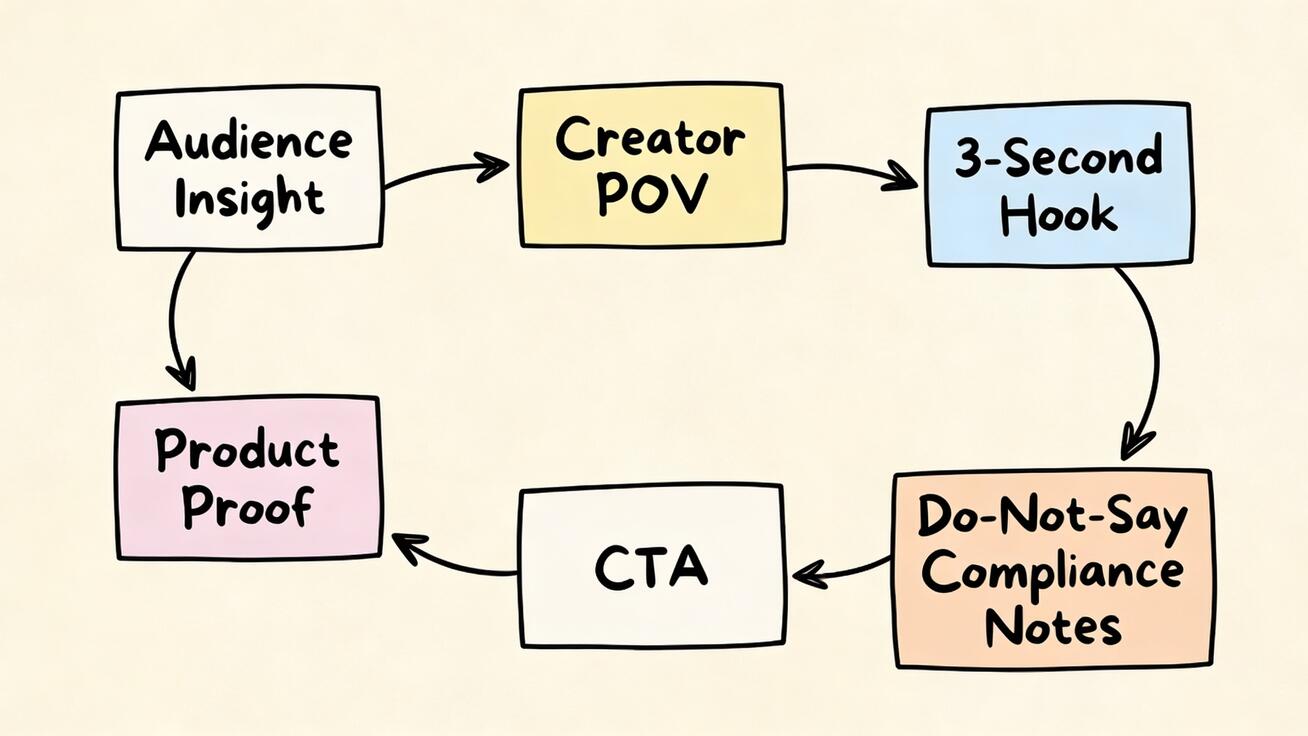
A repeatable Veo 3 prompt framework for UGC ads
Use this framework when creating Veo 3 UGC scenes. It keeps the output close to creator content while leaving room for editing.
1. Product and source material. State whether Veo 3 should use an uploaded product image as a reference, follow a text-only concept, or create a neutral scene without exact packaging. If product accuracy matters, use an image-to-video workflow and specify which details must remain unchanged: shape, color, label, texture, buttons, lid, screen, packaging, or included components.
2. Audience and situation. Describe the person who would care and the situation they are in. For example: “remote worker trying to make a desk look less cluttered,” “new skincare buyer comparing routines,” or “small brand owner filming product content for TikTok.”
3. Creator POV. Choose one voice: skeptical customer, helpful friend, founder explaining the product, creator testing a routine, educator breaking down a mistake, or customer-service style guide. Do not mix five roles in one short clip.
4. Scene and camera. UGC usually benefits from handheld phone framing, front-facing camera, kitchen counter, bathroom mirror, desk setup, bedroom shelf, apartment entryway, car interior, or simple studio corner. Specify natural light, slight handheld motion, realistic framing, and no glossy commercial lighting if the goal is creator-style.
5. Hook and action. Include one hook and one product action. The action might be opening, applying, setting up, comparing, demonstrating, showing a result that is supported, or explaining a common mistake. A short clip cannot carry a full sales page.
6. Edit space. Ask for clean space where captions can be added later. Avoid generated text inside the video because it can become unreadable, inaccurate, or hard to translate.
7. Compliance negatives. Add specific exclusions: no fake customer reviews, no star ratings, no impossible transformation, no medical claim, no income claim, no competitor logo, no celebrity likeness, no platform UI, no watermark, no hidden disclosure, no altered packaging, and no extra accessories.
Here is a reusable base prompt:
Use the uploaded product image as the exact product reference. Create a short creator-style UGC ad scene for [audience] in [situation]. Creator POV: [helpful friend / skeptical customer / founder / educator]. Scene: [room or context] with natural light and phone-camera framing. Hook: [short first line or caption idea]. Action: show [one realistic product interaction or demonstration]. Tone: casual, clear, believable, not glossy. Leave clean space for captions and add no generated text. Keep product details accurate. Do not include fake reviews, star ratings, unsupported claims, competitor logos, celebrity likenesses, medical or financial promises, hidden sponsorship language, watermarks, or extra accessories.
Hook types that work well with Veo 3 UGC scenes
A Veo 3 UGC ad generator workflow should not rely on one hook style. Build a hook bank and pair each hook with a matching scene.
Problem hooks start with friction: “I kept running into this issue,” “This part of the routine took too long,” or “I did not realize this was what made the setup messy.” The scene should show the problem visually before the product appears. The risk is exaggeration. Keep the problem realistic and avoid fear-based language unless your legal and brand teams approve it.
Discovery hooks feel like a creator sharing a find: “I tried the simple version first,” “I did not expect this to matter,” or “This is the part I would check before buying.” These are useful for testimonial-style clips because they give the character a reason to speak without sounding like a scripted ad.
Mistake hooks work for educational UGC: “The mistake is filming the product too late in the video,” “Do not start with the logo,” or “Most demos skip the one thing buyers need to see.” This angle is especially strong for SaaS, creator tools, and marketing workflows because it lets the ad teach while selling.
Routine hooks make the product feel normal. A creator shows a morning setup, packing routine, editing workflow, desk reset, skincare shelf, meal prep, or content planning session. The product is part of the routine rather than a dramatic reveal. Veo 3 can handle these scenes well when the prompt defines one action and one camera path.
Objection hooks address doubt directly: “I thought this would be too complicated,” “I did not want another bulky tool,” or “I needed something that worked without a long setup.” Use this carefully. Do not invent a customer outcome. Frame the objection as a creative angle, then show a practical demo.
Testimonial scenes without fake testimonial risk
Testimonial-style UGC is powerful, but it is also where teams can cross the line. The safest approach is to generate testimonial scenes that communicate a use case, not a fabricated real review. The person on screen should not be presented as a verified customer unless the testimonial is real, documented, and permitted.
Instead of prompting “real customer says this product changed their life,” use safer framing: “creator-style scene explaining a common product benefit,” “founder-style walkthrough of the problem the product solves,” “educational testimonial-style structure without claiming to be a real customer,” or “scripted UGC concept for internal ad testing.” Then keep the message factual and modest.
A safer testimonial prompt might look like this:
Create a scripted testimonial-style UGC concept for a social ad, not a real customer review. A creator sits at a small desk and explains one practical use case for the product in a calm, believable tone. First frame: creator holding the product near the workspace. Action: quick close-up of the product being used once. Emotional beat: relief that the routine is simpler, without claiming a guaranteed outcome. Camera: handheld phone-style, natural light, slight movement. No fake review text, no star ratings, no before-after transformation, no unverifiable claims, no platform UI, no logo impersonation, no celebrity likeness.
For final publishing, add transparent disclosure where required by your platform, market, and campaign structure. If an AI-generated person appears in the ad, review whether the creative needs AI disclosure or additional labels. Policies change, so make compliance a standard step rather than an afterthought.
Creator POV templates for common ad angles
Use these templates as starting points and adjust the details to your product category. They are intentionally focused on UGC briefs, not Amazon listings, Shopify product pages, or generic product ads.
Helpful friend recommendation
Use the product reference image accurately. Create a 7-second phone-shot UGC scene where a helpful friend shows the product during a normal daily routine. Audience: [specific buyer]. Hook: “If you keep running into [problem], this is the simple setup I would try first.” Scene: [kitchen counter / desk / bathroom shelf / entryway]. Action: show one realistic product interaction and one close-up. Tone: casual, practical, not salesy. Leave space for captions. Avoid fake reviews, fake ratings, unsupported claims, exaggerated results, altered packaging, competitor logos, and watermarks.
Skeptical reviewer
Create a creator-style ad concept for a skeptical reviewer testing [product type]. First frame: creator looks at the product and points to the issue buyers usually worry about. Action: one close-up demo that addresses the objection. Camera: handheld, natural light, realistic room, no glossy commercial setup. Voice direction: honest and measured, not hype. Do not imply verified customer status, do not invent stats, do not show star ratings, do not make medical, financial, or guaranteed performance claims.
Founder walkthrough
Create a founder-style UGC video scene for [product]. A founder or product lead explains why the product exists and shows one practical feature. Scene: simple desk setup with product and notes. Hook: “We built this because [buyer problem] kept coming up.” Action: point to one feature, show it in use, then pause for a caption CTA. Keep the framing informal and credible. No fake press logos, no revenue claims, no review quotes, no platform UI, no hard-to-read generated text.
Routine demo
Create a creator routine scene where [audience] uses the product as part of [morning routine / content workflow / packing routine / desk reset]. The product appears in the first two seconds. Show one natural action, one close-up, and one final organized frame. Phone-camera feel, natural light, casual pacing. Leave clean caption space. Avoid impossible transformation, hidden sponsorship language, altered packaging, extra accessories, or unsupported outcome claims.
Building a UGC ad matrix instead of one-off prompts
The biggest advantage of Veo 3 is not a single good clip. It is the ability to build a controlled variation matrix. Start with one product and create variations across hook, creator POV, scene, and CTA. Keep the claim stable while changing the creative wrapper.
A simple matrix can include four hooks, three creator POVs, three scenes, and two CTAs. That creates many testable directions without changing the core message. For example, a desk product could test a problem hook in a home office, a skeptical reviewer in a small apartment, a founder walkthrough at a work table, and a routine demo during a Sunday reset. Each video still shows one product action and one approved message.
Keep a spreadsheet or creative tracker with the prompt, source images, output URL, approval notes, edit version, platform, spend, and result. The prompt library becomes an asset. When a hook works, you can create new scene variations. When a scene works but the hook fails, you can keep the setting and test a different opening. When a claim creates review friction, you can soften it across the entire matrix.
This matrix approach also prevents overlap with other product video workflows. Marketplace listing videos need strict product accuracy and shopper clarity. Shopify or ecommerce landing page videos may use more polished layouts. UGC ads need creator POV, hook testing, and believable social-native pacing. Define the job before you generate.
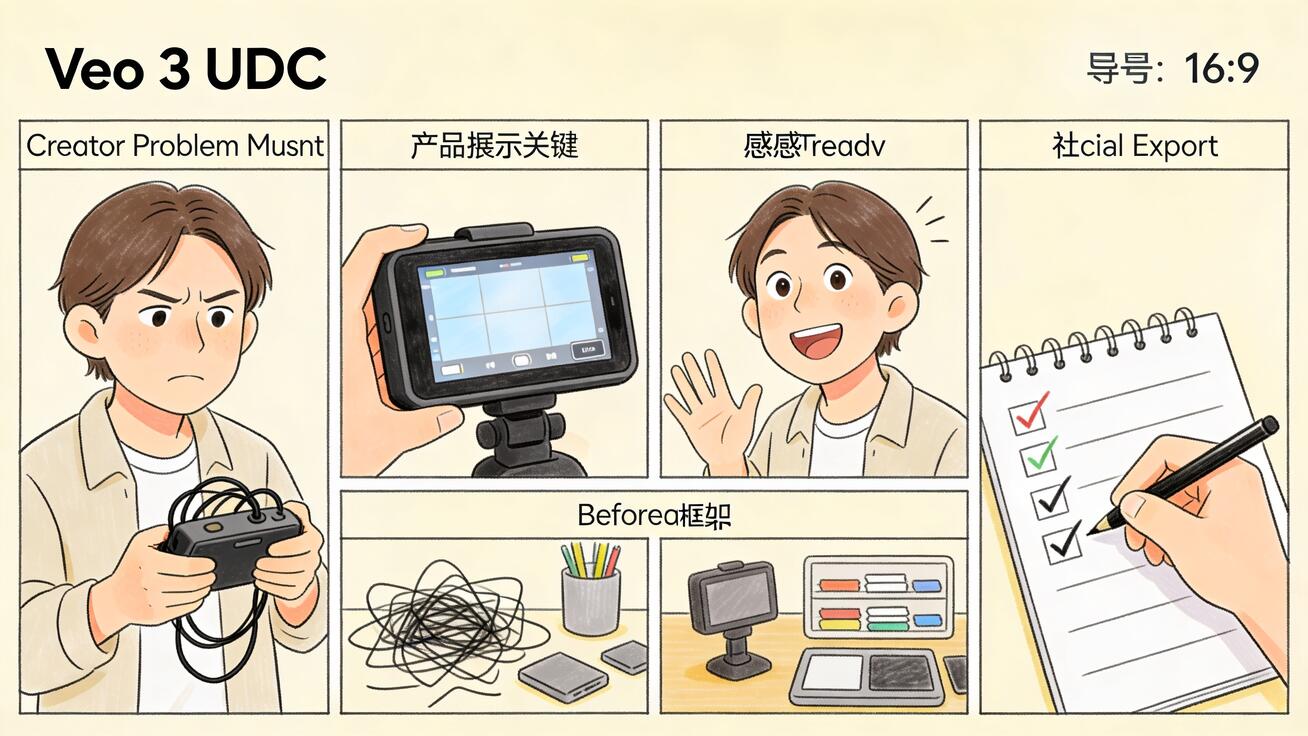
Editing Veo 3 UGC scenes for paid social
Treat Veo 3 output as raw footage. The generated clip is not the final ad. Trim the first frame if the product appears too late. Crop to the target format. Add captions manually. Use approved text overlays. Add your CTA, disclosure, logo, and landing page copy in the editor rather than inside the generation.
For vertical platforms, keep the product and face away from the edges so captions and interface elements do not cover them. If you plan to test 9:16, 4:5, and 1:1 exports, generate the original with central framing and safe margins. If the output is horizontal, use it as a storyboard or crop only when important details survive.
Caption style matters. UGC ads usually perform better when captions sound like the creator’s thought, not a billboard. Instead of “REVOLUTIONARY PRODUCT,” use “what I checked first,” “the part that made setup easier,” or “why I kept this in the routine.” Keep the caption aligned with the claim review process.
Build a consistent post-production checklist: product appears early, hook is understandable without sound, claim is approved, disclosure is handled, AI-generated elements are acceptable, no fake testimonial is implied, captions are readable, crop is safe, landing page matches the message, and the file naming convention is clear.
Compliance checklist for AI-generated UGC ads
Compliance should not be a final panic step. Add it to the prompt and the review process.
First, review identity. Do not create a generated person who resembles a real creator, employee, customer, celebrity, doctor, journalist, or public figure without permission. Avoid prompts that ask for a specific person’s likeness. If the ad uses an AI-generated character, decide how your team will label or disclose it based on current platform rules and market requirements.
Second, review claims. UGC style can make claims feel personal, which increases risk if the claim is not supportable. Avoid guaranteed results, medical claims, financial outcomes, unrealistic transformations, fake before-after scenes, invented statistics, and “customer said” language unless you have real evidence and permission.
Third, review platform rules. TikTok, Meta, YouTube, Google Ads, and other channels can treat synthetic media, endorsements, sensitive categories, and disclosures differently. Store your review notes with the asset so future editors do not reuse a scene in a context where it no longer fits.
Fourth, review product fidelity. If the product appears, compare the output against the real source image. Packaging, color, label placement, shape, size, and included items must not mislead buyers. If exact fidelity is important, use image-to-video rather than a text-only concept.
Finally, review the user journey. The ad should lead to a page that supports the same promise. A UGC hook about setup speed should land on a page that explains setup. A testimonial-style line about comfort, quality, or convenience should match the product page copy. Creative and landing page alignment protects both conversion and trust.
How Veo 3 fits into your broader creative stack
Veo 3 is strongest when it sits inside a complete creative system. Use text-to-video for early concept exploration when you do not yet have product imagery. Use image-to-video when product accuracy, packaging, or visual identity matters. Use your editor for captions, CTA overlays, disclosure labels, and brand typography. Use analytics to decide which hooks deserve more variations.
If your team also creates marketplace assets, keep separate prompt libraries. A Veo 3 Amazon listing workflow should not be reused unchanged for social UGC because the pacing and intent differ. If you need marketplace-specific product detail clips, use a guide like Veo 3 for Amazon listing video ads. If you need ecommerce landing page or store creative, keep the video more product-led. For short social formats, Veo 3 Instagram Reels workflows can help with pacing, but UGC ads still need stronger brief, claim, and disclosure discipline.
A practical weekly workflow looks like this: choose one product or offer, write ten hooks, select three creator POVs, generate twelve raw Veo 3 scenes, edit four finalists, run them as controlled tests, then record which hook, first frame, and CTA performed best. The next week, keep the winning message and change only one variable at a time.
FAQ
Can Veo 3 create UGC ads for paid social?
Yes. Veo 3 can create creator-style UGC ad scenes when the prompt defines the audience, creator POV, hook, scene, product action, camera feel, caption space, and compliance negatives. The output should still be edited and reviewed before launch.
Is a Veo 3 testimonial scene the same as a real customer testimonial?
No. A generated testimonial-style scene is a scripted creative concept, not a verified customer testimonial. Do not present an AI-generated person as a real customer unless the testimonial is genuine, documented, and permitted.
What is the safest prompt structure for Veo 3 UGC ads?
Use product reference, audience, situation, creator POV, scene, one hook, one product action, edit space, and negative constraints. Exclude fake reviews, star ratings, unsupported claims, real-person likeness, competitor logos, platform UI, and watermarks.
Should UGC ad captions be generated inside Veo 3?
Usually no. Generate clean motion first, then add captions and CTAs in an editor. This keeps copy legible, translatable, brand-approved, and easier to update for different platforms.
Can I use Veo 3 UGC ads for regulated products?
Use extra caution. Avoid medical, financial, safety, or guaranteed outcome claims unless your team has approved evidence and review. For high-risk categories, use Veo 3 for neutral storyboards or demos, then produce final claims through your normal compliance workflow.
How many UGC variations should I generate per product?
Start with a small matrix: four hooks, three creator POVs, and two or three scenes. Edit the strongest outputs, test them, then scale the hook or scene that earns better results instead of generating random one-off videos.
<script type="application/ld+json"> { "@context": "https://schema.org", "@type": "FAQPage", "mainEntity": [ {"@type": "Question", "name": "Can Veo 3 create UGC ads for paid social?", "acceptedAnswer": {"@type": "Answer", "text": "Yes. Veo 3 can create creator-style UGC ad scenes when the prompt defines the audience, creator POV, hook, scene, product action, camera feel, caption space, and compliance negatives. The output should still be edited and reviewed before launch."}}, {"@type": "Question", "name": "Is a Veo 3 testimonial scene the same as a real customer testimonial?", "acceptedAnswer": {"@type": "Answer", "text": "No. A generated testimonial-style scene is a scripted creative concept, not a verified customer testimonial. Do not present an AI-generated person as a real customer unless the testimonial is genuine, documented, and permitted."}}, {"@type": "Question", "name": "What is the safest prompt structure for Veo 3 UGC ads?", "acceptedAnswer": {"@type": "Answer", "text": "Use product reference, audience, situation, creator POV, scene, one hook, one product action, edit space, and negative constraints. Exclude fake reviews, star ratings, unsupported claims, real-person likeness, competitor logos, platform UI, and watermarks."}}, {"@type": "Question", "name": "Should UGC ad captions be generated inside Veo 3?", "acceptedAnswer": {"@type": "Answer", "text": "Usually no. Generate clean motion first, then add captions and CTAs in an editor. This keeps copy legible, translatable, brand-approved, and easier to update for different platforms."}}, {"@type": "Question", "name": "Can I use Veo 3 UGC ads for regulated products?", "acceptedAnswer": {"@type": "Answer", "text": "Use extra caution. Avoid medical, financial, safety, or guaranteed outcome claims unless your team has approved evidence and review. For high-risk categories, use Veo 3 for neutral storyboards or demos, then produce final claims through your normal compliance workflow."}}, {"@type": "Question", "name": "How many UGC variations should I generate per product?", "acceptedAnswer": {"@type": "Answer", "text": "Start with a small matrix: four hooks, three creator POVs, and two or three scenes. Edit the strongest outputs, test them, then scale the hook or scene that earns better results instead of generating random one-off videos."}} ] } </script>
Related Articles
Continue with more blog posts in the same locale.

What is Google Veo 4?
Complete overview of Google Veo 4 AI video generator features, capabilities, and improvements over Veo 3.
Read article
How to Use Google Veo 4
Step-by-step guide to using Google Veo 4 AI video generator. Learn prompts, settings, and best practices for creating stunning AI videos.
Read article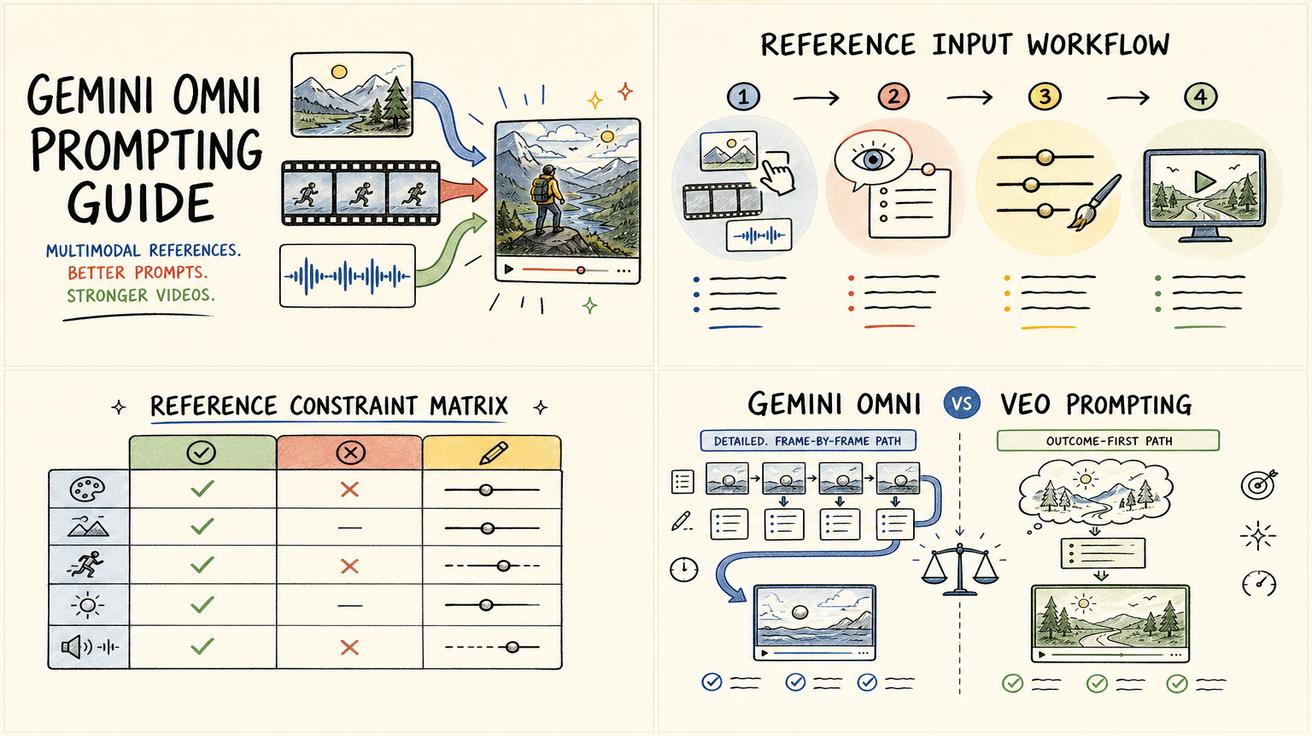
Gemini Omni vs Veo Prompting: Why Omni Prompts Can Be Less Prescriptive
Learn why Gemini Omni prompting can be less prescriptive than Veo prompting, with practical prompt examples, workflow tips, and safe wording about the Veo transition.
Read article