
Veo 3 Audio: How Google's AI Video Sound Generation Works (2026)
Complete guide to Veo 3's built-in audio generation in 2026. How AI sound works, how to prompt for audio, when to use it vs. adding your own, and tips for best results.
Emma Chen · 16 min read · Apr 2, 2026
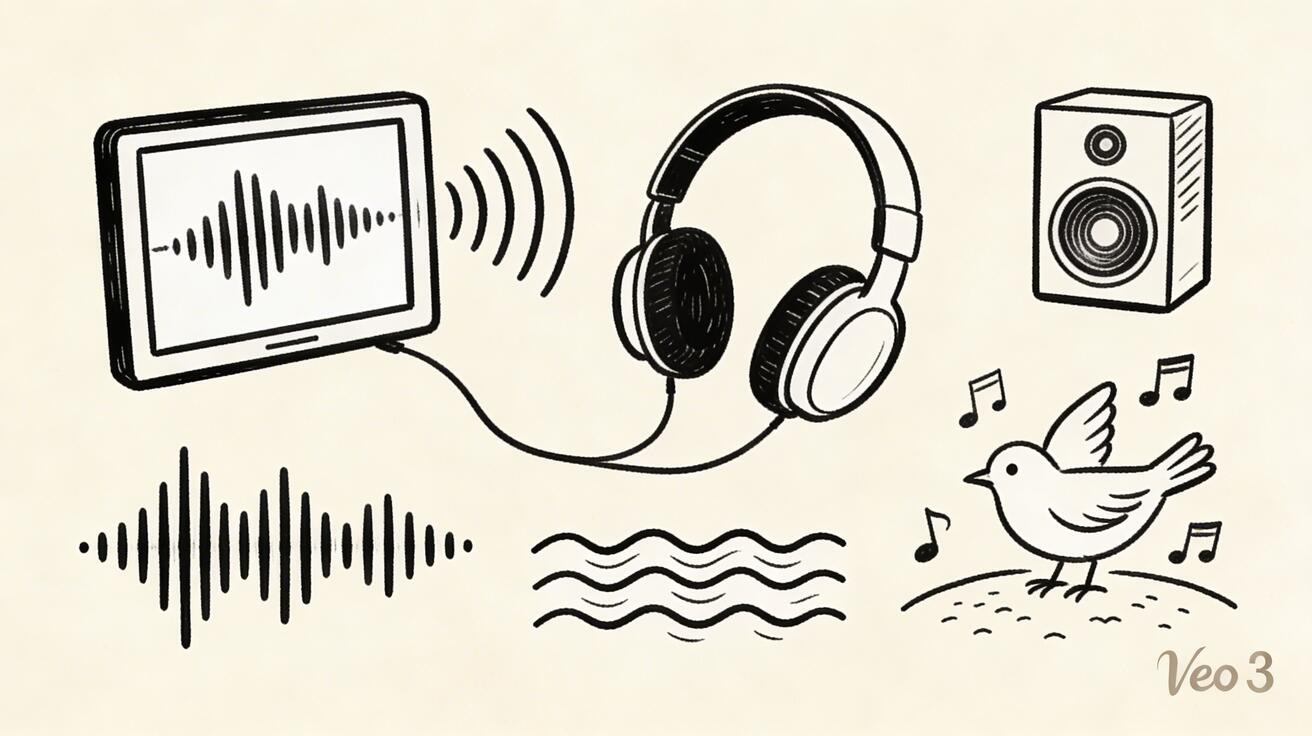
One of Veo 3's most distinctive features compared to every competing AI video tool is its integrated audio generation. While tools like Runway Gen-4, Pika, Kling, and Seedance generate video only — requiring creators to source, license, and synchronize audio separately — Veo 3 generates contextually appropriate synchronized sound alongside every video it creates. This guide explains how the audio generati
Quick Answer: Google Veo 3 is Google DeepMind's state-of-the-art AI video generation model that creates cinematic, high-quality videos from text and image prompts, with native audio generation and exceptional motion realism.
on works, what it can and cannot do, and how to use it effectively.
What Is Veo 3 Audio Generation?
Veo 3's audio generation is not a music player or a sound effect library. It is a generative model that synthesizes original audio based on the visual content of the generated video. When Veo 3 creates a video of a waterfall in a mountain forest, it simultaneously generates the sound of rushing water, wind in the trees, birds, and the acoustic character of that outdoor environment. When it creates a video of a city street, it generates crowd noise, traffic, distant music, and urban ambiance.
This is technically challenging for several reasons. The audio must be synchronized with the visual content — the sound of a car passing should follow the car's visual position across the frame. The audio must be contextually appropriate — a bright sunny meadow scene should not generate the same soundscape as a dark rainy urban alley. And the audio must be varied and natural rather than looping or obviously synthetic.
Veo 3 achieves this through a multi-modal generation approach where the video and audio models share information about the scene being generated, allowing the audio synthesis to be informed by the visual content rather than operating independently.
Audio Prompt Writing for Veo 3
Standard video prompts that do not include any audio description will still generate audio, but the audio will be entirely inferred from the visual content. Adding explicit audio descriptions to prompts gives the model specific direction that tends to produce more accurate and atmospheric results.
Ambient environment audio is the most reliable category. Describing the acoustic environment works well: "the sound of ocean waves breaking gently on a rocky shore," "rain falling on a city street at night, the acoustic dampening of wet pavement," "a busy Tokyo market with layered crowd sounds, vendors, and distant station announcements." These environmental audio descriptions produce consistently good results because the model has strong training on what these environments sound like.
Specific sound sources can be included in prompts with good reliability: "the crackling of a fireplace," "the sound of coffee being poured into a ceramic cup," "wind chimes moving in a light breeze," "the ticking of a vintage clock." Specific, familiar sounds tend to be rendered more accurately than complex or unusual sound combinations.
Dialogue and voice requires the prompt to include speaking characters. When the visual prompt describes a person speaking — "a woman explains something animatedly to camera" — Veo 3 generates voice audio with lip synchronization. The dialogue content itself is inferred rather than specified; you cannot currently script specific dialogue text in the standard prompt interface.
Music style descriptions work with moderate reliability. "Soft jazz piano in the background," "minimalist electronic ambient music," "gentle acoustic guitar" will produce music in the general style described, though the specific musical content is generated rather than selected from a library.
Content Category Performance
Veo 3 audio quality varies by content category.
Nature scenes are the strongest category. Forest ambiance, ocean sounds, rain, wind, bird calls, and weather effects generate with natural quality that is often immediately usable without editing. The spatial quality — the sense that sounds come from specific environmental positions — is particularly good in outdoor nature scenes.
Urban environments generate at good quality with some spatial inconsistency. The layered complexity of urban soundscapes — multiple simultaneous sources at different distances and positions — is handled well overall, but precise positional accuracy can vary. For content where spatial audio precision matters, minor mixing adjustments may be needed.
Interior spaces perform well for common environments: kitchens, offices, cafes, restaurants, living rooms. The acoustic characteristics of enclosed spaces — reverb, the muffle of external sound, the specific qualities of different room types — are rendered with reasonable accuracy.
Dialogue and speech produces impressive results technically. The fact that Veo 3 generates synchronized speech at all is remarkable. For rough concept and prototype work, the quality is usable. For final productions where dialogue is the primary storytelling vehicle, professional voice recording remains the standard.
Music performs most variably. Background ambient music often fits well, but the specific musicality — melody, harmony, development — is inherently random rather than crafted. For content where music is a primary creative element, dedicated AI music tools produce better results.
Comparing Veo 3 Audio to Traditional Audio Workflow
For creators who previously used AI video tools without integrated audio, here is how the workflow changes with Veo 3:
Traditional AI video workflow (without integrated audio):
- Generate video clip
- Identify the need for background audio
- Browse royalty-free music or sound effect libraries
- License or download appropriate audio
- Import into editing software
- Synchronize audio timing with video
- Adjust levels and mix
- Export combined video
Veo 3 workflow (with integrated audio):
- Generate video clip with audio
- Preview audio quality — acceptable or needs adjustment?
- If acceptable: download combined video (done)
- If not: replace or supplement audio in editing software
For casual content and moderate production standards, Veo 3's integrated audio eliminates steps 2-7 of the traditional workflow. For high production standards, it shifts the audio work from sourcing and synchronizing to reviewing and potentially supplementing.
Limitations of Veo 3 Audio
Understanding Veo 3's audio limitations helps set appropriate expectations:
Dialogue scripting is not currently supported. You cannot specify the exact words a character will say. The dialogue content is generated by the model based on context, not authored by the creator. For content requiring specific scripted speech, post-production ADR or separate voice synthesis remains necessary.
Music control is limited. You can specify music style broadly but not musical specifics like key, tempo, instrumentation arrangement, or melodic content. For content where music is creatively central, dedicated tools provide better control.
Complex multi-speaker scenes are challenging. When multiple people are speaking simultaneously or in rapid exchange, audio accuracy decreases. Single-speaker and narrated content performs better than multi-participant conversation.
Unusual or highly specific sounds may not render accurately. Common, frequently occurring sounds in the training data perform well. Unusual, culture-specific, or highly technical sounds may be rendered approximately rather than accurately.
Practical Recommendations
For creators integrating Veo 3 into their workflow, these practices maximize the value of the integrated audio:
Always preview audio in browser before downloading and committing to a clip. Audio quality is a legitimate selection criterion alongside video quality when choosing among multiple generations.
Include audio descriptions in prompts when the acoustic environment matters to your content. "The soft crackling of a vinyl record playing jazz" is more likely to produce appropriate music than a prompt that describes only the visual scene.
Plan for audio replacement in your editing workflow for precision work. Veo 3 audio is a high-quality starting point, not always a final deliverable, especially for professional productions where audio standards are exacting.
For creators who need excellent AI video but do not require integrated audio, Seedance 2.0 provides daily free credits with no watermarks — an excellent free alternative for the video component of your production workflow, with separate audio sourcing as needed.
What Can You Do with Veo 3?
Veo 3 is capable of generating 8-second HD video clips from text descriptions or input images, complete with synchronized audio. Key capabilities include:
- Text-to-video: Describe any scene, Veo 3 renders it in cinematic quality
- Image-to-video: Upload a photo and Veo 3 animates it with realistic motion
- Audio generation: Veo 3 automatically generates matching sound effects, ambience, and music
- Style control: Specify camera angles, lighting, mood, and visual style in your prompts
How Do You Use Veo 3 Step by Step?
Getting started with Veo 3 is simple:
- Access: Go to gemini.google.com or aistudio.google.com
- Prompt: Write a detailed scene description — include subject, action, environment, lighting
- Generate: Select Veo 3 model and click generate (15–45 seconds)
- Refine: If not perfect, adjust your prompt and regenerate
- Download: Save your video in MP4 format
Is Veo 3 the Best AI Video Generator Available?
Based on 2025 benchmarks and real-world testing, Veo 3 is the best overall AI video generator for most use cases. Key reasons:
- Highest video quality in its class (1080p, 8-second clips)
- Only major AI video tool with native audio generation
- Free access makes it accessible to everyone
- Active development by Google DeepMind ensures continuous improvements
Kling AI and Runway Gen-4 are strong alternatives for specific use cases (longer clips and artistic styles, respectively).
Frequently Asked Questions
Does every Veo 3 video include audio? Yes — Veo 3 generates audio alongside every video. You can mute or replace the audio in post-production.
Can I generate Veo 3 video without audio? The generation always includes audio, but you can simply discard the audio track when editing or use only the video component.
Is Veo 3 the only AI video tool with integrated audio? Currently yes — Veo 3 is unique among major AI video tools in generating synchronized audio alongside video. Other tools generate video only.
What free alternative provides good video quality without integrated audio? Seedance 2.0 provides daily free credits with no watermarks and excellent video quality. Audio can be sourced separately.
Related Guides
- Veo 3 Review 2026 — Comprehensive Veo 3 evaluation
- Veo 3 Prompt Guide 2026 — Writing effective prompts
- Veo 3 vs Sora 2026 — Comparison guide
- How to Use Veo 3 for Free 2026 — Free access guide
- Best Free AI Video Generator 2026 — Free alternatives
Advanced Audio Workflows with Veo 3
Layering Veo 3 Audio with External Sources
The most sophisticated use of Veo 3 audio involves treating the generated audio as a foundation layer rather than a complete solution. In this workflow, the ambient environmental audio that Veo 3 generates serves as authentic background texture, while more specific audio elements — licensed music, professionally recorded narration, or high-quality sound effects — are layered on top in post-production.
This approach captures the best of both worlds. The generated environmental audio provides the authentic acoustic character of the scene — the specific way sound behaves in the depicted environment, the ambient sounds that would naturally be present — while the additional layers provide the precise, controllable audio elements that the production requires.
For example, a product lifestyle video showing a kitchen scene would benefit from Veo 3's generated kitchen ambient sounds (the subtle hum of appliances, the acoustic quality of the tiled space) as a background layer, with a clean professional voiceover narrating the product benefits recorded separately and mixed over the Veo 3 ambient track. The combination sounds more authentic than a voiceover over silence, and more controlled than relying on Veo 3's generated audio for the primary content.
This layering approach requires basic familiarity with audio editing software, but most modern video editing tools — including free options like DaVinci Resolve and CapCut — support multi-track audio editing that makes this workflow straightforward.
Audio-First Prompt Design
Rather than treating audio as an afterthought in prompt writing, some creators find that designing prompts around the desired audio experience first and then adding visual elements produces more satisfying results.
Consider the audio experience you want to create, then design the visual scene that would naturally produce that audio. If you want the calming sound of rain on a window at night, the visual prompt follows logically: an interior scene at night, close to a window, rain visible outside, warm interior lighting. The audio and visual elements reinforce each other because they share the same environmental origin.
This audio-first approach is particularly effective for content where the emotional experience is primarily driven by sound — meditation content, study ambiance, relaxation videos, and atmospheric pieces designed to create a specific mood.
Using Audio as Quality Filter
Generated audio provides useful signal about the quality and coherence of a generated video even before you carefully examine the visual content. Videos with well-matched, natural audio often have better visual quality as well, because both audio and visual quality tend to correlate with how well the model understood and executed the prompt.
A video where the audio feels disconnected from the visuals — wrong acoustic environment, sounds that don't match what's shown — often also has visual issues worth examining. Conversely, a video with natural, well-matched audio is often one of your better generations to keep.
Adding audio as an evaluation criterion alongside visual quality allows you to make faster, more confident generation selection decisions, which is particularly valuable when you are generating multiple variations of the same prompt.
Technical Details: How Veo 3 Audio Generation Works
Understanding the technical approach behind Veo 3's audio generation helps explain both its capabilities and its limitations.
Veo 3 uses a multi-modal generation architecture where the video generation model and the audio generation model share a common representation of the scene being created. Rather than the video and audio being generated completely independently and then synchronized in post, the two modalities are generated in a coordinated way that allows the audio synthesis to be informed by the visual content.
This coordination is what enables the temporal synchronization between audio events and visual events. When a character in the video makes a specific motion associated with a sound — closing a door, picking up an object, speaking — the audio generation knows about this event because it shares information with the video generation.
The audio model itself is a neural synthesis system trained on the specific task of generating contextually appropriate sound for visual content. Unlike music generation models that are trained purely on audio, Veo 3's audio model has been trained on audio-visual pairs where the relationship between what is seen and what is heard is a core part of the training signal.
This approach is computationally more expensive than generating video alone, which is part of why Veo 3 is a premium product rather than a free service. The coordination between video and audio generation requires more computation than either would require independently.
Veo 3 Audio vs. Dedicated Audio Generation Tools
Understanding how Veo 3's audio compares to tools specifically designed for audio generation helps creators make informed decisions about when to use integrated audio versus when to generate audio separately.
AI music generation tools (Suno, Udio, MusicGen) produce higher quality music than Veo 3's integrated music generation. These tools are specifically trained to produce melodically and harmonically developed music with specific instrumentation, tempo, and style. For content where music is a primary creative element, dedicated music generation tools produce more controlled and higher quality results than Veo 3's background music generation.
AI voice synthesis tools (ElevenLabs, Eleven Multilingual, OpenAI TTS) produce higher quality speech than Veo 3's integrated dialogue generation. These tools are specifically trained for high-quality voice synthesis with specific voice characteristics, clear pronunciation, and precise content control — all of which exceed what Veo 3's contextual dialogue generation can produce. For content where voiceover or character dialogue quality is important, dedicated voice synthesis tools are the better choice.
Foley and sound effect libraries (Epidemic Sound, Artlist, Freesound) provide specific, high-quality recorded sound effects for content requiring precise acoustic accuracy. Professional foley recording, captured in controlled acoustic environments with professional equipment, generally exceeds what AI generation can produce for fine-detail sound work. For content where specific sound effects need to be indistinguishable from reality — product demos where the exact sound of the product operating is important, for example — recorded sound effects remain the standard.
The unique advantage of Veo 3's integrated audio is speed and synchronization for casual and moderate production contexts. Getting acceptable ambient audio alongside video in a single generation step, already synchronized, is faster than any alternative workflow when the audio requirements are not extremely exacting. For creators producing a high volume of content where perfect audio is less important than consistent good audio efficiently produced, Veo 3's integrated audio provides clear workflow value.
Platform Compatibility and Audio Format
Veo 3 generated videos with audio are typically delivered as MP4 files with AAC audio encoding. This format is broadly compatible with all major platforms:
Social media platforms (TikTok, Instagram, YouTube, Twitter/X, LinkedIn) all accept MP4 with AAC audio. The audio will be preserved through the upload process, though platform compression will affect final quality. Most platforms apply moderate audio compression that does not significantly degrade Veo 3's generated audio quality.
Video editing software widely supports MP4/AAC, making it straightforward to import Veo 3 generated videos into editing timelines for further work, whether that involves keeping the generated audio or replacing it with something else.
Web embedding is straightforward with MP4/AAC, which is supported by all modern browsers without any special handling required.
The audio bitrate of Veo 3 generated videos is suitable for most digital distribution contexts. For broadcast or cinema applications that require specific audio format and bitrate specifications, conversion to appropriate formats is straightforward using standard tools.
Summary
Veo 3's audio generation is a genuine differentiator in the AI video market. No other major AI video tool currently provides integrated synchronized audio generation alongside video, making Veo 3 uniquely capable for workflow efficiency in content categories where audio and video must work together.
The practical value of this capability depends on how much time audio sourcing and synchronization represents in your current workflow, the quality bar your productions require, and whether the content categories you produce are well-served by Veo 3's audio generation strengths.
For creators who previously spent significant time on audio work for AI video content, Veo 3's integrated audio represents a real workflow improvement. For creators whose audio requirements exceed what Veo 3 generates — specific scripted dialogue, precise musical control, or professional-grade voice synthesis — the integrated audio is a useful starting point rather than a complete solution.
For creators who need daily free AI video access without subscription costs, Seedance 2.0 provides excellent video quality with daily-renewing free credits and no watermarks, with audio added separately through the creator's preferred workflow.
Our Verdict
Google Veo 3 represents the current state of the art in AI video generation, delivering unmatched cinematic quality, realistic motion, and native audio synthesis. For creators and professionals who want the best possible output, Veo 3 is the clear frontrunner in 2025 — and it's only getting better with each update.
Related Articles
Continue with more blog posts in the same locale.
Veo 3 Text to Video: Complete Guide to Google AI Video Generation (2026)
Comprehensive guide to using Veo 3 for text-to-video generation. Covers access, prompting framework, comparisons with Runway and Kling, limitations, and workflow optimization.
Read article
Veo 3 for Beginners: Complete Getting Started Guide 2026
Master Veo 3 AI video generation with our complete beginner guide. Learn step-by-step how to create your first videos, write better prompts, and avoid common mistakes.
Read article
Veo 3 for Marketing Teams: Create AI Video Ads That Convert
Discover how marketing teams use Veo 3 to create high-converting video ads 10x faster. Complete guide with ROI analysis, A/B testing strategies, and real use cases.
Read article