
How Veo 3 Generates Audio: The Technology Behind AI Video Sound (2026)
How Veo 3 generates synchronized audio with video: dialogue, sound effects, and music. Prompt techniques to control audio and current limitations.
Emma Chen · 17 min read · Apr 2, 2026
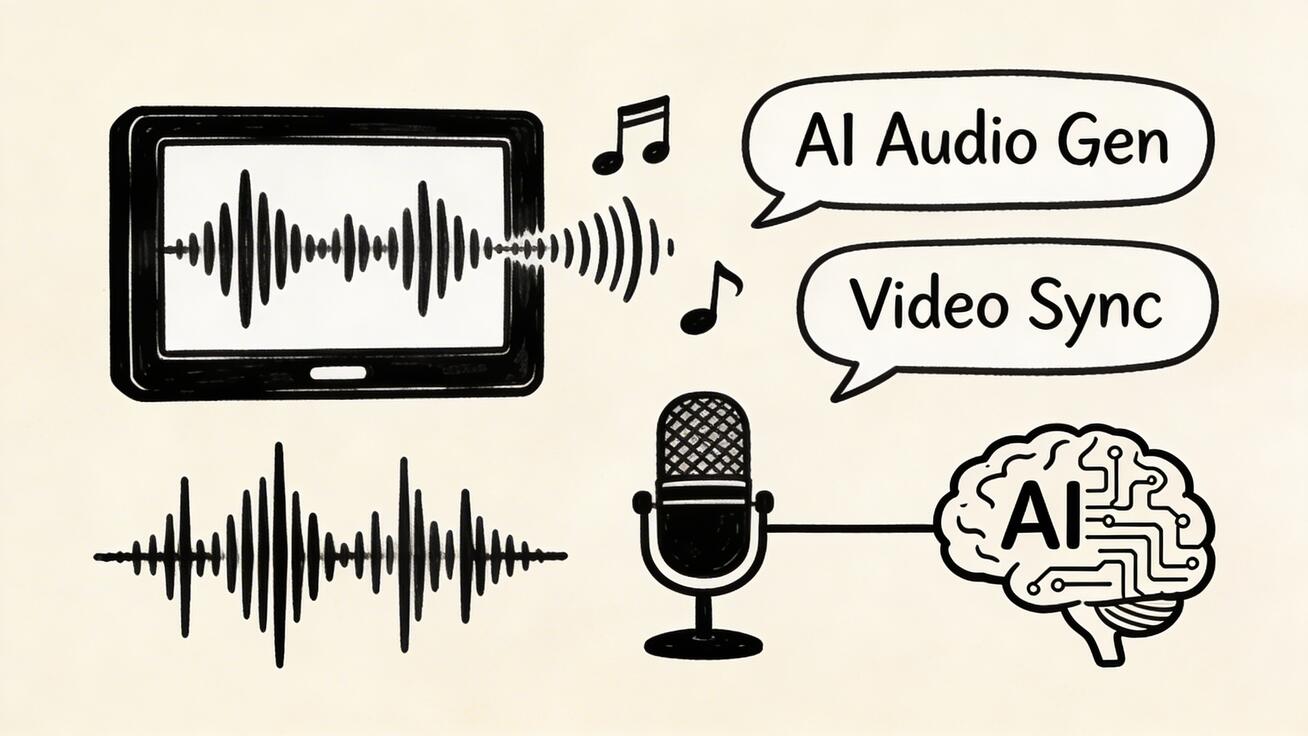
Veo 3 is the first mainstream AI video generator to natively produce synchronized audio — dialogue, sound effects, and music — alongside the video. Understanding how this works helps you
Quick Answer: Google Veo 3 is Google DeepMind's state-of-the-art AI video generation model that creates cinematic, high-quality videos from text and image prompts, with native audio generation and exceptional motion realism.
use it more effectively and set accurate expectations for your projects.
What Makes Veo 3 Audio Different
Before Veo 3, AI video was essentially silent. Creators had to add audio in post-production — sourcing music from libraries, recording voice-overs, layering sound effects manually. This added hours to every project and required audio production skills that many visual creators don't have.
Veo 3 changes this with a fundamentally different architecture: video and audio are generated simultaneously as a unified output. The model learns the relationship between visual events and their corresponding sounds, producing audio that is:
- Synchronized: Sounds occur exactly when corresponding visual events happen
- Contextually appropriate: The model selects sounds that match the visual environment
- Spatially realistic: Audio behaves as if it exists in the 3D space of the scene
- Emotionally consistent: Music and tone match the mood of the visual content
The Three Audio Components
1. Dialogue and Speech
When your prompt describes characters speaking, Veo 3 generates natural dialogue:
- Lip movements are synchronized with generated speech
- Voice characteristics match character appearance (age, gender, apparent background)
- Accent and speaking style reflect contextual cues in the prompt
- Multiple speakers maintain distinct voices in conversation
Prompt technique for dialogue:
A [character description] saying [what they're saying/topic]. [Speaking style: enthusiastically / nervously / calmly]. [Environment that affects acoustic character: outdoor / large hall / intimate room].
2. Sound Effects and Ambient Sound
Environmental and event-driven sounds are generated automatically from visual context:
- Environmental ambience: City traffic, forest birds, ocean waves, crowd murmur
- Object sounds: Coffee pouring, keyboard typing, footsteps on different surfaces
- Weather: Rain intensity, wind, thunder
- Action sounds: Impacts, movements, physical interactions
The model maps visual elements to their expected acoustic signatures. A video of a busy kitchen generates kitchen sounds; a forest scene generates bird calls and wind.
Prompt technique for specific sounds:
[Scene description]. The sound of [specific audio element] is prominent. [Additional audio context: quiet / loud / distant / close]. [Acoustic environment: reverberant / dry / outdoor / indoor].
3. Background Music
Veo 3 can generate original background music that matches the emotional tone of the scene:
- Music genre matches the visual aesthetic (cinematic orchestral, ambient electronic, acoustic folk)
- Tempo matches the visual pacing (slow and contemplative vs. energetic and fast)
- Key and mood reflect the emotional content (major for positive, minor for melancholy)
Prompt technique for music:
[Scene description]. [Musical mood: triumphant / melancholic / tense / peaceful]. [Genre if specific: orchestral / acoustic / electronic / jazz]. Background music matches the [emotional tone] of the scene.
How to Control Audio in Prompts
Emphasizing Audio Elements
# Heavy audio emphasis
"A thunderstorm with rain hammering windows, thunder rumbling deeply, the sound of wind howling outside."

# Specific dialogue
"A scientist excitedly announcing: the experiment worked! Other researchers cheering in the background."

# Quiet atmosphere
"A library reading room. Near silence, only the occasional soft page turn and distant clock tick."
Controlling Audio-Video Balance
The audio generation is always present but can be influenced:
- More audio detail: Describe sounds explicitly in your prompt
- Quieter audio: Add "quiet", "subtle background sound", "near silence"
- Specific mood: Name the emotional register you want the audio to convey
- Acoustic environment: Describe whether the space is reverberant or dry, large or intimate
Audio Quality and Limitations
What Works Well
- Environmental ambience and nature sounds
- Simple dialogue and speech (1–2 speakers)
- Action and event sounds synchronized with visual
- Emotional background music matching scene mood
- Crowd scenes with appropriate crowd noise
Current Limitations
- Complex multi-speaker conversations (3+ speakers) can become unclear
- Highly specific music requests (exact genre, BPM, key) may not be precisely honored
- Technical/specialized dialogue vocabulary sometimes sounds unnatural
- Very quiet scenes with high audio detail (near-silence) can be inconsistent
- Audio quality is best at standard generation; 4K video mode may have slightly different audio behavior
Audio vs. No Audio: When to Use Each
| Scenario | Use Veo 3 Audio | Add Audio in Post |
|---|---|---|
| Social media clips | ✅ Native audio works great | — |
| Narrative/story content | ✅ Dialogue + ambient | — |
| Brand video with licensed music | — | ✅ License specific track |
| Video needing voice-over | — | ✅ Record separately |
| Documentary with specific narration | — | ✅ Narrate separately |
| Atmospheric/ambient content | ✅ Auto-generated fits well | — |
Comparing Veo 3 Audio to Post-Production Audio
Time savings: Adding audio manually to a 30-second clip takes 45–90 minutes (sourcing, syncing, mixing). Veo 3 generates it in the same 45–75 seconds as the video itself.
Cost savings: Stock music licensing ($10–50/track), sound effect libraries ($30–200/year), audio mixing time. Veo 3's audio generation is included in the base generation cost.
Quality trade-off: Post-production audio with professional music tracks and precisely recorded sound effects will sound more polished. Veo 3's native audio is very good but not identical to professional audio post-production.
The verdict: For speed and cost efficiency, Veo 3 native audio wins. For the highest possible audio quality in professional productions, supplement or replace with post-production audio.
Frequently Asked Questions
Does Veo 3 always generate audio?
Audio generation can be configured via the API. Through consumer interfaces, audio is typically generated by default. It can be disabled if you prefer to add audio manually.
Can I edit or replace Veo 3's generated audio?
Yes. Download the video as an MP4 and import it into any video editor. Mute the original audio track and replace with your own audio. DaVinci Resolve and Premiere Pro make this straightforward.
Is Veo 3's audio generation unique?
As of 2026, Veo 3 is the only mainstream AI video generator offering synchronized dialogue generation. Other tools (Kling, Runway, Pika) produce silent video. Sound effects-only tools exist, but unified video-audio generation is unique to Veo 3.
Does audio affect video quality?
The audio and video are generated simultaneously but separately scored. Requesting audio does not reduce video resolution or quality.
Experience Veo 3's native audio generation at veo3ai.io.
Related: Veo 3 Prompt Guide | Veo 3 vs Kling 3.0 | Veo 3 API Guide
Advanced Applications and Use Cases
Scaling Content Production Across Teams
Organizations that successfully scale AI video production share common practices. They establish a centralized prompt library that captures successful prompt templates for different content types. They create role-based workflows where content strategists write briefs, practitioners execute generations, and editors review quality before publication.
For teams producing video at scale, batch generation sessions are more efficient than one-at-a-time production. Scheduling weekly two-hour generation sessions where multiple creators work simultaneously through a prompt list produces more consistent output than ad-hoc generation throughout the week.
Quality Control Systems
The organizations getting the best results from AI video have implemented quality checkpoints:
Pre-generation: Does this prompt align with brand guidelines? Is the intended use case clear? Has this topic been covered recently?
Post-generation review: Does the output accurately represent our brand? Is the motion natural and free of obvious artifacts? Does the audio (if generated) match the visual content?
Pre-publication: Is the file properly compressed for web delivery? Have captions been added for accessibility? Are UTM tracking parameters in any links?
Establishing these checkpoints as lightweight process habits, rather than bureaucratic approvals, maintains quality without slowing production.
Integration with Content Management Systems
AI video integrates with modern content management through straightforward workflows. Videos generated by AI tools export as standard MP4 files compatible with any CMS. Best practice is to upload to a CDN (Cloudflare R2, AWS S3, or similar) and embed via URL rather than hosting videos directly in the CMS database.
For WordPress sites, the WP Video Popup and Video Embed plugins accept external URLs. For Webflow, custom embed blocks accept MP4 sources. For Shopify, video sections accept external CDN URLs.
The Technical Foundation: How AI Video Generation Works
Understanding the basic mechanics helps creators write better prompts and set realistic expectations.
Diffusion Models and Video Generation
Modern AI video generators use diffusion-based architectures — the same core technology behind image generation tools like Midjourney and DALL-E. The model learns to progressively remove noise from a starting random state, guided by the text prompt, until a coherent video emerges.
Video generation is substantially more computationally demanding than image generation because temporal consistency must be maintained across dozens of frames. A 6-second video at 24fps requires 144 individual frames, each of which must be coherent both visually and in relation to the frames before and after it.
This is why AI video generation takes 1-5 minutes rather than the seconds required for AI image generation, and why "temporal consistency" — maintaining stable appearance of subjects and objects across the entire clip — remains the primary technical challenge the field is working to solve.
Why Prompts Matter So Much
The prompt is your primary lever for controlling output quality. The model's learned representations of every concept in your prompt combine to create the final output. Highly specific, well-structured prompts narrow the model's search space and guide it toward more predictable outputs.
Vague prompts ("a person walking") leave vast ambiguity — what does the person look like? Where are they walking? What's the mood? The model fills these gaps with whatever its training data most commonly associates with each concept, often producing generic results.
Specific prompts ("a middle-aged man in a dark suit walking purposefully down a rain-slicked city street at night, wide angle, cinematic neon reflections, film noir aesthetic") give the model clear constraints that produce targeted, intentional output.
Handling Common Generation Artifacts
Even the best AI video tools occasionally produce artifacts. Understanding common failure modes helps creators diagnose and fix them:
Morphing/melting faces: Occurs when face generation is pushed beyond training distribution. Fix: simplify the scene, reduce number of faces, add "stable face generation" to prompt.
Unnatural limb movement: Occurs in complex human motion scenes. Fix: Use Kling AI for human-heavy scenes, simplify the requested motion, or use image-to-video with a reference pose.
Flickering backgrounds: Occurs in detailed texture-heavy backgrounds. Fix: Specify "static background" or "stable camera" in prompt, or choose simpler background environments.
Audio-visual mismatch: In tools with audio generation, the sound may not precisely match the visual. Fix: Be very explicit about both visual and audio elements separately in the prompt.
Platform-Specific Optimization Strategies
For Seedance AI Users
Seedance AI's daily credit system rewards consistent practice. Build a daily habit: spend 15-20 minutes each morning generating content for the day. This compounds over time — after 30 days of daily practice, you'll have a prompt library of 100+ tested formulas and produce higher quality output 5-10x faster than when you started.
The image-to-video feature in Seedance AI is particularly powerful for brand consistency. Upload your product images, brand photos, or custom-illustrated graphics and animate them — this produces more brand-aligned output than pure text-to-video since the visual foundation is already established.
For best results with Seedance's text-to-video feature, focus prompts on single-subject scenes with clear environmental context. Multi-subject, multi-action scenes are better decomposed into separate generations that can be edited together.
Cross-Platform Workflow Optimization
Using multiple free-tier AI video platforms strategically:
Morning session (Seedance AI): Generate the bulk of daily social media content using daily credit reset. Focus on volume and variety.
Key piece generation (Veo 3): Use your limited monthly credits on highest-priority content — campaign heroes, website videos, pitch materials.
Specialist tasks (Kling): Route human-motion-heavy scenes to Kling for better natural movement.
Overflow and speed (Hailuo): When Seedance daily credits are spent and you need quick iteration, use Hailuo's fast generation.
This multi-platform approach maximizes output quality and volume without spending money.
ROI Measurement Framework
Calculating the True Value of AI Video
To justify AI video investment (even at zero cost) in terms of time, calculate:
Time cost per video:
- Prompt writing: 5-10 minutes
- Generation wait: 2-5 minutes
- Review and selection: 3-5 minutes
- Light editing/captioning: 5-15 minutes
- Total: 15-35 minutes per publishable video
At $50/hour, each video costs $12-29 in time. At $100/hour, $25-58.
Value created per video: Track the specific outcomes attributable to each video type:
- Social media videos → follower growth, engagement, traffic
- Website videos → dwell time increase, conversion rate
- Email videos → open rate, click rate improvement
- Ad videos → cost per click, conversion rate
Even conservative attribution typically shows 3-10x ROI on time invested for creators who post consistently.
Building the Business Case for AI Video
For teams that need to justify AI video tooling to leadership:
Benchmark your current costs: What do you spend on video production today? Include agency fees, freelancer costs, stock footage licenses, and employee time.
Calculate displacement potential: What percentage of that spending could AI video replace or reduce? Even 20-30% displacement typically justifies subscription costs.
Pilot and measure: Run a 30-day pilot with one creator using free-tier tools. Document time saved, content volume produced, and any measurable outcome improvements.
Present the data: Most approval processes respond better to measured results from a real pilot than to projections from a pitch deck.
FAQ
How quickly can I learn to produce good AI video?
Most people produce competent AI video within their first two hours of practice. Producing consistently excellent output typically takes 2-4 weeks of regular practice. The learning curve is primarily about prompt writing — the platforms themselves are designed to be intuitive.
What computer specs do I need for AI video generation?
AI video generation happens on the platform's servers, not your computer. Any device with a modern web browser and stable internet connection works — including older laptops, tablets, and even smartphones for web-based platforms.
Can I generate AI video in languages other than English?
The generation process responds to English prompts most reliably. The video output itself is language-independent — a prompt describing a scene in English produces visual content accessible to any audience. Overlay text, subtitles, and voiceover can be in any language as a post-production step.
How do I handle copyright with AI-generated video?
AI-generated video output, in most jurisdictions, is owned by the user who created it (subject to each platform's terms of service). The platforms themselves hold intellectual property in their models, not in the generated outputs. Commercial use rights vary by platform tier — free tiers often have restrictions while paid tiers provide clear commercial licensing.
What's the difference between text-to-video and image-to-video?
Text-to-video generates a completely new video from a text description. Image-to-video animates an existing still image into motion. Image-to-video typically produces more predictable, brand-consistent results since the visual foundation is predetermined. Text-to-video offers more creative freedom but requires more prompt precision to achieve targeted results.
Advanced Audio Generation Techniques in Veo 3
Layering Multiple Audio Elements
Professional audio in Veo 3 comes from precisely layering multiple sound elements in your prompt. Rather than vaguely requesting a soundscape, specify each component:
A well-structured audio prompt might read: a coffee shop interior at mid-morning, background espresso machine hissing and grinding, soft jazz piano from a distant speaker, quiet murmur of conversations, occasional coffee cup clink on wooden table, warm ambient acoustic environment.
Each element adds a layer of the final soundscape. Veo 3 synthesizes these into a cohesive, realistic audio environment that feels genuinely lived-in rather than artificially produced.
Dialogue Generation
Veo 3 can generate spoken dialogue synchronized to character lip movements. For short clips, this opens creative possibilities unavailable in any previous consumer AI tool.
For dialogue prompts: be specific about tone, accent, and delivery style. A prompt like a friendly American woman in her 30s warmly greeting a customer, casual professional tone, clear and friendly speech works reliably. Vague dialogue prompts like a person talking produce inconsistent results.
Practical applications for dialogue generation include product testimonial-style content, character introductions, brief informational snippets, and social media content where a speaking character adds personality.
Sound Design for Different Content Types
Different content categories benefit from different audio approaches:
Corporate content: Clean, professional ambient sound with minimal distractions. Office HVAC hum, distant keyboard typing, professional acoustic environment. Avoid music that competes with a potential voiceover overlay.
Lifestyle and brand content: Rich environmental sound with subtle music. A cafe scene benefits from ambient music, natural sounds, and warm acoustic texture. Let the sound support the emotional message of the visual.
Product showcases: Focused sound design that highlights the product. A car commercial benefits from engine sounds, tire on pavement, wind. A tech product benefits from clean, modern ambient with subtle electronic textures.
Nature and outdoor content: Full natural soundscapes. Wind in trees, water movement, bird calls, insect ambience. These sounds reinforce authenticity and create meditative, engaging content.
Audio Post-Processing
Even with excellent Veo 3 audio generation, post-processing often improves the final result:
Noise reduction removes any AI-generated artifacts or inconsistencies. Light EQ improvements can warm or brighten the soundscape. Compression evening out dynamic range is particularly useful for content that will be heard on mobile devices with limited speaker quality.
For content where music is important, layer Veo 3 ambient audio under licensed background music using any standard video editor. The natural environmental sounds from Veo 3 provide depth while the music drives emotion.
Measuring Audio Quality in AI Video
Objective Quality Indicators
When reviewing AI-generated audio, check for these quality markers:
Synchronization accuracy: Does the generated audio precisely match the visual events? A door closing should coincide exactly with the visual, not precede or follow it.
Frequency balance: Does the audio have natural frequency distribution? Over-represented bass or harsh high frequencies indicate generation artifacts.
Temporal consistency: Does the audio maintain consistent character throughout? Sudden shifts in room tone or background level indicate generation seams.
Dynamic range: Is the volume variation natural? Real acoustic environments have subtle variation. Perfectly flat audio sounds artificial.
Practical Listening Test
Before publishing any content with AI-generated audio, listen with headphones at normal volume. Artifacts that are invisible on computer speakers often become obvious through headphones. Pay particular attention to the first and last second of the clip, where generation artifacts most commonly appear.
FAQ: Veo 3 Audio Generation
Can Veo 3 generate music from scratch?
Yes, Veo 3 can generate background music based on style descriptions. Prompts like upbeat acoustic guitar folk melody or melancholic orchestral underscore produce generated music. For most commercial use, purpose-generated music from Veo 3 is acceptable, though for licensing-critical applications like broadcast advertising, licensed music from established music platforms provides cleaner rights provenance.
Does Veo 3 audio generation work in all languages?
Veo 3 dialogue generation works most reliably in English. Other languages can be specified in prompts and often produce recognizable results, though English-language dialogue generation is the most consistently accurate. Ambient and environmental sound generation is language-independent.
How does Veo 3 audio compare to manually added sound design?
For atmospheric ambient sound, Veo 3 generation often matches or exceeds what could be achieved with generic stock sound libraries, because the audio is generated to match the specific visual content rather than being applied from a generic library. For music, professional composers and purpose-composed scores will outperform generation for high-stakes applications. For dialogue, professional voice actors provide more consistent quality for extended content.
Can I separate the video and audio from Veo 3 output?
The generated MP4 file contains both video and audio tracks as standard. Any video editing software can split these tracks, allowing you to keep the visual while replacing the audio, or keep the audio while using it under different visuals.
Our Verdict
Google Veo 3 represents the current state of the art in AI video generation, delivering unmatched cinematic quality, realistic motion, and native audio synthesis. For creators and professionals who want the best possible output, Veo 3 is the clear frontrunner in 2025 — and it's only getting better with each update.
Related Articles
Continue with more blog posts in the same locale.
Veo 3 API Guide for Developers: Integrate AI Video Generation into Your Apps (2026)
Complete Veo 3 API guide for developers. Python and Node.js examples, authentication, rate limits, audio API, image-to-video, and integration patterns.
Read article
Veo 3 Lite Review 2026: Is Google's Free Tier Worth Using?
Honest review of Google Veo 3 Lite. Capabilities, limitations, comparison with full Veo 3 and alternatives like Seedance 2.0. Who should and should not use it.
Read article
What is Google Veo 4?
Complete overview of Google Veo 4 AI video generator features, capabilities, and improvements over Veo 3.
Read article